返回列表
🧠 阿头学 · 💬 讨论题

每次合并即部署:用可观测性替代定时发布的幻觉

放弃定时发布并转向每次合并即部署是降低软件交付风险的最优路径,但其成功绝对依赖成熟的可观测性基建与功能开关体系,盲目照搬将导致团队陷入高频故障泥潭。
打开原文 ↗

2026-08-07 原文链接 ↗
阅读简报
双语对照
完整翻译
原文
讨论归档

核心观点

  • 故障必然性决定资源投向 测试无法穷尽生产环境的动态交互,将资源从无限前置QA转向后置监控与自动回滚,能显著压缩故障定位时间与修复成本。
  • 部署与激活解耦是核心杠杆 功能开关将技术发布与业务上线彻底剥离,使团队敢于高频提交代码,同时通过灰度与熔断机制将爆炸半径控制在单点。
  • 发布日历是组织幻觉而非安全网 定时发布掩盖了变更堆积带来的非线性风险,删除日历并建立CI/CD流水线是倒逼团队承担个体交付责任的必要手段。

跟我们的关联

  • 对 👤ATou 意味着必须打破“定时发布=安全”的路径依赖,下一步应优先在15分钟内跑通CI流水线并配置核心指标告警,而非盲目追求发布频率。
  • 对 🧠Neta 意味着产品迭代需接受“部署≠激活”的节奏,下一步应强制所有高风险需求接入功能开关,利用区域渐进发布验证真实用户反馈。
  • 对 🪞Uota 意味着运维重心从发布排期转向可观测性建设,下一步需建立自动回滚熔断器并制定功能开关的定期清理机制,防止技术债务反噬。

讨论引子

1. 在缺乏完善可观测性基建的中小团队中,强行推行每次合并部署是否必然导致“高频救火”拖垮研发效能? 2. 数据库Schema变更与分布式事务等强状态操作无法通过功能开关解耦,这类场景下如何平衡持续部署与数据一致性风险?

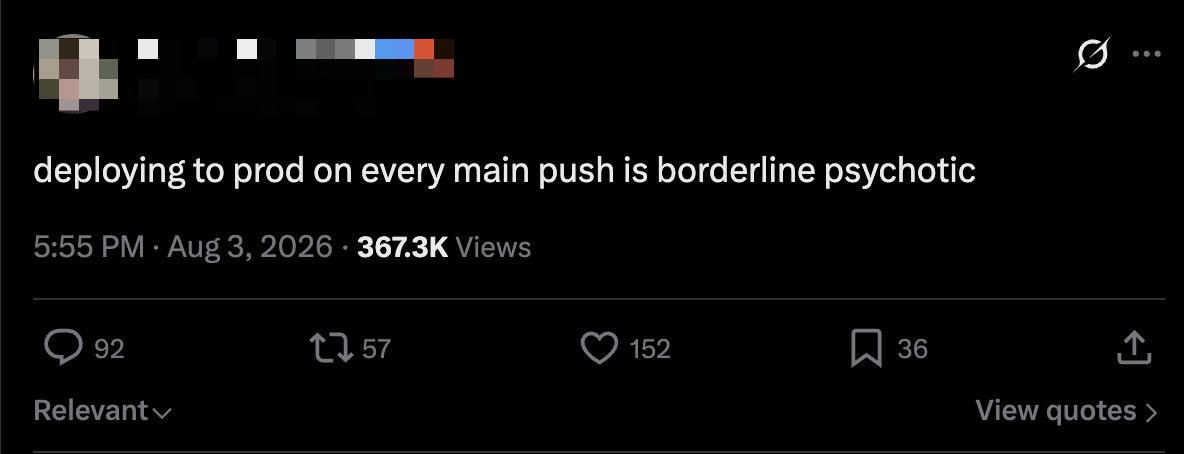
不在每次合并(merge)时就部署到生产环境(prod),简直近乎精神错乱 http://x.com/i/article/2085419327348711424

每次变更都部署到生产环境(prod)可能令人害怕,但不直接部署到生产环境更可怕。

这是我在 Amazon 带领一个团队为数亿客户部署时所采用的流程。通过我的咨询工作,我曾带领工程团队从每两周一次的定时发布,转变为每次合并(merge)即交付。

让我们从最显而易见的地方说起:

你一定会引发故障(outage)。这不是“会不会”的问题,而是“何时”的问题。

无论多少单元测试(unit testing)、集成测试(integration testing)、内部试用(dogfooding)、端到端(end-to-end)测试,或是向部署之神献祭,都无法抓住每一个 bug。

一周前针对你的功能所做的测试,并没有覆盖你队友最新的变更。

你的测试是针对队友服务的预生产(pre-prod)版本进行的,而那个版本现在已经发生了变化,并且包含了一项不向后兼容的变更。

等待的时间越长,一次发布中堆积的变更就越多。一旦需要回滚(rollback),你就得回滚两周的变更,而不是一两个小时的工作量。

如果我们接受故障不可避免这一前提,那么将大量资源投入到对一次发布进行 QA 就远没有那么合理了;相反,我们应该把资源集中在监控与观测(monitoring & observing)发布上,并做好在故障发生时应对它的准备。

现在,来说说我们如何做到:

先决条件(Prerequisites)

CI/CD

测试的重要性远比你想象的要低。测试无法证明你的变更在生产环境中是安全的,什么都证明不了。测试的作用在于让失败的成本变得低廉。在 CI 中发现的 bug 只花费几分钟;而在生产环境中发现的 bug 会耗费你一个晚上去做回滚(rollback)。

因此,每次合并时都要运行完整的测试套件,或至少将其作为流水线(pipeline)的一部分:单元、集成、端到端测试。Bug 在流水线中走得越远,解决它的成本就越高。

监控/可观测性(Monitoring/Observability)

关键在于尽可能快地发现回归(regression)。要做到这一点,你需要出色的监控(monitoring)。它具体表现为:

  • 指标(metrics):错误、延迟、可用性
  • 日志,附带关联 ID(correlation ids)
  • 基于上述两项的 sev-3 和 sev-2(Paging)告警

调整告警阈值(alarm thresholds)既是一门艺术,也是一门科学。你需要在灵敏度与对真实事件的响应速度之间取得平衡。你的 sev-2 告警目标时间应为 5 到 10 分钟。

一开始,你很可能会设置错误,也可能过于敏感。不幸的是,这主要靠反复试错(trial and error)来掌握,所以最初你可能会在凌晨两点被叫醒几次。

功能开关(Feature Flags)

对于任何有风险的功能变更,你都应该将其放在功能开关(feature flag)/ 远程配置(remote config)之后发布。功能开关让你能在几分钟内回滚并关闭某项变更,而不必回滚整个部署。此外,如果你的功能开关服务支持(它应该支持),你可以按百分比或按用户群(cohort)逐步推出该功能,从而进一步降低不良变更的影响。

这使我们可以将代码的部署(deployment)与代码的激活(activation)解耦。这很微妙,但对于降低风险却是颠覆性的改变。

注意:你需要一个清理这些开关的流程。理想情况下,每创建一个开关,就要创建一张移除工单(removal ticket)。否则,当你的功能开关服务宕机时(它一定会宕机),你就会遭遇严重的回归(regression)。别问我是怎么知道的。

自动回滚(Automatic Rollback)(部署时熔断器(Deploy time circuit breaker))

部署时熔断器(Deploy time circuit breaker)是一种功能,允许你在向整个集群(fleet)滚动推出部署时,如果看到一定数量的错误或一定百分比的错误,就回滚该部署。现在大多数云提供商都只需勾选一个复选框就能提供这个功能。

向后兼容的变更(Backwards Compatible Changes)

你本来就应该这样做,但每次提交即部署会强制你践行这一点。在滚动部署(rolling deployment)期间,旧版本和新版本会同时运行。每一项变更都必须与上一个版本协同工作。你那种在午夜部署以避开这个问题的花招不再奏效了。

部署策略(Deployment Strategies)

现在,有了这些基础,我们可以来看几种不同的部署策略(deployment strategies),它们能帮助你在推出我们的变更时降低风险。

单机(金丝雀)(One box (canary))

单机部署(One box deployment)将你的变更部署到大规模集群(fleet)中的一台机器(box)上。这样可以将任何不良变更的影响范围缩小到仅一台主机(host)。

你完成部署后,让它运行一段时间,承接整体流量中的一小部分。你需要在这台机器上配置好监控和告警(monitoring and alerting),一旦出现问题就会触发告警。

滚动部署(Rolling Deployments)

滚动部署(Rolling Deployment)允许你随着时间按百分比逐步推出,这样一旦出现灾难性错误,你就能在它影响所有机器之前发现,然后我们可以开始将它们回滚。

区域渐进发布(Regional Rollout)

随着公司发展,你最终会拥有多区域(multi-region)部署。与其同时向所有区域部署,不如先部署到某个特定区域(通常是流量最低的区域)。

不适用的场景

App Store

发布移动应用与这套指导并不完全兼容。应用商店(App Store)的审核队列会限制你的部署节奏(deployment cadence),因此需要不同的策略。

认证环境(Certified Environments)

医疗设备、航空电子设备、工业控制等。如果你需要监管机构来认证构建版本,就无法进行持续部署(continuously deploy)。

本地部署 / 自托管(On-prem / Self-hosted)

你无法控制升级过程。你仍然可以对你运营的所有系统进行持续部署,但你仍然必须为每次变更标记版本(version),而由你的客户决定何时采用。

从哪里开始

不要一次性做完所有事情。顺序很重要:

  1. 让 CI 保持绿色且快速。理想情况下控制在 15 分钟以内
  2. 针对错误率、延迟和可用性设置指标(metrics)和告警(alarms)。这是整个实践中最重要的一部分
  3. 将任何有风险的功能变更都放到开关(flag)后面
  4. 添加单机(one-box)+ 自动回滚(automated rollback)
  5. 删掉发布日历(release calendar)
  6. 既然你不再安排发布日程了,找点别的事情来利用那些多出来的时间吧

我合作过的大多数团队大约需要一个季度才能走完这套流程。工具部分是最简单的。组织流程,以及打破“定时发布很安全”这一幻觉,才是困难的部分。

如果你的团队还在用发布日历(release calendar),并且想要摆脱它,那正是我从事的工作。DM 我。

not deploying to prod on every merge is borderline psychotic http://x.com/i/article/2085419327348711424

Deploying to prod on each change can be scary, but not deploying to directly to prod is scarier.

This is the process I ran at Amazon, leading a team deploying to hundreds of millions of customers. Through my consulting, I've led engineering teams from deploying on bi-weekly scheduled releases to shipping on each merge.

Let's start with the obvious part:

You will cause an outage. It is not an if but a when.

No amount of unit testing, integration testing, dogfooding, end-to-end whatever, or sacrificing to the deploy gods will catch every bug.

The testing that was originally done on your feature one week ago was not tested with your teammate's latest changes.

Your testing was done against the pre-prod version of your teammates service, which has now changed and contains a backwards incompatible change.

The longer you wait, the more changes stack on a release. Should you need to rollback, you now need to rollback two weeks of changes rather than 1-2 hours worth.

If we accept the premise that an outage is inevitable, it makes much less sense to dedicate massive resources to QAing a release and instead focus our resources on monitoring & observing a release and being prepared to address an outage when it happens.

Now, onto how we get there:

不在每次合并(merge)时就部署到生产环境(prod),简直近乎精神错乱 http://x.com/i/article/2085419327348711424

每次变更都部署到生产环境(prod)可能令人害怕,但不直接部署到生产环境更可怕。

这是我在 Amazon 带领一个团队为数亿客户部署时所采用的流程。通过我的咨询工作,我曾带领工程团队从每两周一次的定时发布,转变为每次合并(merge)即交付。

让我们从最显而易见的地方说起:

你一定会引发故障(outage)。这不是“会不会”的问题,而是“何时”的问题。

无论多少单元测试(unit testing)、集成测试(integration testing)、内部试用(dogfooding)、端到端(end-to-end)测试,或是向部署之神献祭,都无法抓住每一个 bug。

一周前针对你的功能所做的测试,并没有覆盖你队友最新的变更。

你的测试是针对队友服务的预生产(pre-prod)版本进行的,而那个版本现在已经发生了变化,并且包含了一项不向后兼容的变更。

等待的时间越长,一次发布中堆积的变更就越多。一旦需要回滚(rollback),你就得回滚两周的变更,而不是一两个小时的工作量。

如果我们接受故障不可避免这一前提,那么将大量资源投入到对一次发布进行 QA 就远没有那么合理了;相反,我们应该把资源集中在监控与观测(monitoring & observing)发布上,并做好在故障发生时应对它的准备。

现在,来说说我们如何做到:

Prerequisites:

CI/CD

Testing matters a lot less than you'd think. Tests can't prove your change is safe in production. Nothing can. What tests do is make failure cheap. A bug caught in CI costs minutes. A bug caught in production costs your evening doing a rollback.

So run the full suite on each merge, or at least as part of the pipeline: unit, integration, end-to-end tests. The further down the pipeline the bug travels, the more it costs to resolve.

Monitoring/Observability

The name of the game is to be able to catch a regression as soon as possible. To achieve this, you need to have excellent monitoring. This takes the shape of:

  • metrics: errors, latency, availability

  • logs w/ correlation ids

  • alarms for sev-3 and sev-2 (paging) wired on the above two

There's a bit of an art and science to tuning your alarm thresholds. It is a balance between sensitivity and how fast you respond on a real incident. Your target sev-2 time to alert should be 5-10 mins.

Initially, you'll likely be wrong and likely be too sensitive. Unfortunately, this is learned mostly by trial and error, so you'll likely get a few 2am wakeups initially.

Feature Flags

For any change with risk, you should be shipping it behind a feature flag / remote config. A feature flag allows you to roll back and turn off any change within a few minutes, rather than needing to roll back the entire deployment. additionally, if your feature flag service allows it (it should), you can incrementally roll out the feature on a percentage or a cohort basis, further reducing the impact of a bad change.

This allows us to decouple the deployment of code and activation of code. Subtle, but a game changer for reducing risk.

Note: you will need a process for cleaning these up. Ideally, you create a removal ticket for each flag created. Otherwise, when your feature flag service goes down (it will), you'll have a significant regression. ask me how i know.

Automatic Rollback (Deploy time circuit breaker)

A deploy time circuit breaker is functionality that allows you to roll back the deployment if you see a count or percentage of errors as you are rolling it out across the fleet. Most cloud providers have this now with a simple checkbox.

Backwards Compatible Changes

You should already be doing this, but deploying on each commit forces the practice. During a rolling deployment, you will have the old version and the new version running at the same time. Every change needs to work alongside the previous version. Your trick of deploying at midnight to avoid this no longer works.

先决条件(Prerequisites)

CI/CD

测试的重要性远比你想象的要低。测试无法证明你的变更在生产环境中是安全的,什么都证明不了。测试的作用在于让失败的成本变得低廉。在 CI 中发现的 bug 只花费几分钟;而在生产环境中发现的 bug 会耗费你一个晚上去做回滚(rollback)。

因此,每次合并时都要运行完整的测试套件,或至少将其作为流水线(pipeline)的一部分:单元、集成、端到端测试。Bug 在流水线中走得越远,解决它的成本就越高。

监控/可观测性(Monitoring/Observability)

关键在于尽可能快地发现回归(regression)。要做到这一点,你需要出色的监控(monitoring)。它具体表现为:

  • 指标(metrics):错误、延迟、可用性
  • 日志,附带关联 ID(correlation ids)
  • 基于上述两项的 sev-3 和 sev-2(Paging)告警

调整告警阈值(alarm thresholds)既是一门艺术,也是一门科学。你需要在灵敏度与对真实事件的响应速度之间取得平衡。你的 sev-2 告警目标时间应为 5 到 10 分钟。

一开始,你很可能会设置错误,也可能过于敏感。不幸的是,这主要靠反复试错(trial and error)来掌握,所以最初你可能会在凌晨两点被叫醒几次。

功能开关(Feature Flags)

对于任何有风险的功能变更,你都应该将其放在功能开关(feature flag)/ 远程配置(remote config)之后发布。功能开关让你能在几分钟内回滚并关闭某项变更,而不必回滚整个部署。此外,如果你的功能开关服务支持(它应该支持),你可以按百分比或按用户群(cohort)逐步推出该功能,从而进一步降低不良变更的影响。

这使我们可以将代码的部署(deployment)与代码的激活(activation)解耦。这很微妙,但对于降低风险却是颠覆性的改变。

注意:你需要一个清理这些开关的流程。理想情况下,每创建一个开关,就要创建一张移除工单(removal ticket)。否则,当你的功能开关服务宕机时(它一定会宕机),你就会遭遇严重的回归(regression)。别问我是怎么知道的。

自动回滚(Automatic Rollback)(部署时熔断器(Deploy time circuit breaker))

部署时熔断器(Deploy time circuit breaker)是一种功能,允许你在向整个集群(fleet)滚动推出部署时,如果看到一定数量的错误或一定百分比的错误,就回滚该部署。现在大多数云提供商都只需勾选一个复选框就能提供这个功能。

向后兼容的变更(Backwards Compatible Changes)

你本来就应该这样做,但每次提交即部署会强制你践行这一点。在滚动部署(rolling deployment)期间,旧版本和新版本会同时运行。每一项变更都必须与上一个版本协同工作。你那种在午夜部署以避开这个问题的花招不再奏效了。

Deployment Strategies

Now, with those in place, we can walk through a few different deployment strategies that can help reduce risk as you roll out our changes.

One box (canary)

A one box deployment deploys your changes onto one box in the larger fleet. This allows you to reduce the impact of any bad changes to only one host.

you deploy and let this sit for a period of time, receiving a small fraction of the larger traffic. you have our monitoring and alerting configured onto this box that will alert if anything breaks.

Rolling Deployments

A rolling deployment allows you to roll out on a percentage basis over time such that if there is a catastrophic error, you will catch it before it affects all of the machines and we can then begin rolling them back.

Regional Rollout

As your company grows, you will end up having multi-region deployments. Rather than deploying to all of these regions simultaneously, you can deploy into one specific region first (typically the lowest-traffic).

部署策略(Deployment Strategies)

现在,有了这些基础,我们可以来看几种不同的部署策略(deployment strategies),它们能帮助你在推出我们的变更时降低风险。

单机(金丝雀)(One box (canary))

单机部署(One box deployment)将你的变更部署到大规模集群(fleet)中的一台机器(box)上。这样可以将任何不良变更的影响范围缩小到仅一台主机(host)。

你完成部署后,让它运行一段时间,承接整体流量中的一小部分。你需要在这台机器上配置好监控和告警(monitoring and alerting),一旦出现问题就会触发告警。

滚动部署(Rolling Deployments)

滚动部署(Rolling Deployment)允许你随着时间按百分比逐步推出,这样一旦出现灾难性错误,你就能在它影响所有机器之前发现,然后我们可以开始将它们回滚。

区域渐进发布(Regional Rollout)

随着公司发展,你最终会拥有多区域(multi-region)部署。与其同时向所有区域部署,不如先部署到某个特定区域(通常是流量最低的区域)。

Cases where this doesn't apply

App store

Shipping a mobile app is not totally compatible with this guidance. The app store review queue throttles your deployment cadence and requires a different strategy.

Certified Environments

Medical devices, avionics, industrial control etc. You can't continuously deploy if you need a regulator to certify the build.

On-prem / Self-hosted

You don't get to control the upgrade. You can still continuously deploy on everything you operate, however you still have to version each change and your customer determines when it is adopted.

不适用的场景

App Store

发布移动应用与这套指导并不完全兼容。应用商店(App Store)的审核队列会限制你的部署节奏(deployment cadence),因此需要不同的策略。

认证环境(Certified Environments)

医疗设备、航空电子设备、工业控制等。如果你需要监管机构来认证构建版本,就无法进行持续部署(continuously deploy)。

本地部署 / 自托管(On-prem / Self-hosted)

你无法控制升级过程。你仍然可以对你运营的所有系统进行持续部署,但你仍然必须为每次变更标记版本(version),而由你的客户决定何时采用。

Where to Start

Don't do all of this at once. Order matters:

  1. Get CI green and fast. Under 15 minutes ideally

  2. Get metrics and alarms on error rate, latency and availability. This is the most important part of the exercise

  3. Put any risky change behind a flag

  4. Add one-box + automated rollback

  5. Delete the release calendar

  6. Find a new use of all your extra time now that you aren't scheduling releases

Most teams I've worked with take about a quarter to get through this. The tooling is the easy part. The org process and breaking the illusion of scheduled releases being safe is the hard part.

If your team is on a release calendar and wants off it, that's the work I do. DM me.

从哪里开始

不要一次性做完所有事情。顺序很重要:

  1. 让 CI 保持绿色且快速。理想情况下控制在 15 分钟以内
  2. 针对错误率、延迟和可用性设置指标(metrics)和告警(alarms)。这是整个实践中最重要的一部分
  3. 将任何有风险的功能变更都放到开关(flag)后面
  4. 添加单机(one-box)+ 自动回滚(automated rollback)
  5. 删掉发布日历(release calendar)
  6. 既然你不再安排发布日程了,找点别的事情来利用那些多出来的时间吧

我合作过的大多数团队大约需要一个季度才能走完这套流程。工具部分是最简单的。组织流程,以及打破“定时发布很安全”这一幻觉,才是困难的部分。

如果你的团队还在用发布日历(release calendar),并且想要摆脱它,那正是我从事的工作。DM 我。

not deploying to prod on every merge is borderline psychotic http://x.com/i/article/2085419327348711424

Deploying to prod on each change can be scary, but not deploying to directly to prod is scarier.

This is the process I ran at Amazon, leading a team deploying to hundreds of millions of customers. Through my consulting, I've led engineering teams from deploying on bi-weekly scheduled releases to shipping on each merge.

Let's start with the obvious part:

You will cause an outage. It is not an if but a when.

No amount of unit testing, integration testing, dogfooding, end-to-end whatever, or sacrificing to the deploy gods will catch every bug.

The testing that was originally done on your feature one week ago was not tested with your teammate's latest changes.

Your testing was done against the pre-prod version of your teammates service, which has now changed and contains a backwards incompatible change.

The longer you wait, the more changes stack on a release. Should you need to rollback, you now need to rollback two weeks of changes rather than 1-2 hours worth.

If we accept the premise that an outage is inevitable, it makes much less sense to dedicate massive resources to QAing a release and instead focus our resources on monitoring & observing a release and being prepared to address an outage when it happens.

Now, onto how we get there:

Prerequisites:

CI/CD

Testing matters a lot less than you'd think. Tests can't prove your change is safe in production. Nothing can. What tests do is make failure cheap. A bug caught in CI costs minutes. A bug caught in production costs your evening doing a rollback.

So run the full suite on each merge, or at least as part of the pipeline: unit, integration, end-to-end tests. The further down the pipeline the bug travels, the more it costs to resolve.

Monitoring/Observability

The name of the game is to be able to catch a regression as soon as possible. To achieve this, you need to have excellent monitoring. This takes the shape of:

  • metrics: errors, latency, availability

  • logs w/ correlation ids

  • alarms for sev-3 and sev-2 (paging) wired on the above two

There's a bit of an art and science to tuning your alarm thresholds. It is a balance between sensitivity and how fast you respond on a real incident. Your target sev-2 time to alert should be 5-10 mins.

Initially, you'll likely be wrong and likely be too sensitive. Unfortunately, this is learned mostly by trial and error, so you'll likely get a few 2am wakeups initially.

Feature Flags

For any change with risk, you should be shipping it behind a feature flag / remote config. A feature flag allows you to roll back and turn off any change within a few minutes, rather than needing to roll back the entire deployment. additionally, if your feature flag service allows it (it should), you can incrementally roll out the feature on a percentage or a cohort basis, further reducing the impact of a bad change.

This allows us to decouple the deployment of code and activation of code. Subtle, but a game changer for reducing risk.

Note: you will need a process for cleaning these up. Ideally, you create a removal ticket for each flag created. Otherwise, when your feature flag service goes down (it will), you'll have a significant regression. ask me how i know.

Automatic Rollback (Deploy time circuit breaker)

A deploy time circuit breaker is functionality that allows you to roll back the deployment if you see a count or percentage of errors as you are rolling it out across the fleet. Most cloud providers have this now with a simple checkbox.

Backwards Compatible Changes

You should already be doing this, but deploying on each commit forces the practice. During a rolling deployment, you will have the old version and the new version running at the same time. Every change needs to work alongside the previous version. Your trick of deploying at midnight to avoid this no longer works.

Deployment Strategies

Now, with those in place, we can walk through a few different deployment strategies that can help reduce risk as you roll out our changes.

One box (canary)

A one box deployment deploys your changes onto one box in the larger fleet. This allows you to reduce the impact of any bad changes to only one host.

you deploy and let this sit for a period of time, receiving a small fraction of the larger traffic. you have our monitoring and alerting configured onto this box that will alert if anything breaks.

Rolling Deployments

A rolling deployment allows you to roll out on a percentage basis over time such that if there is a catastrophic error, you will catch it before it affects all of the machines and we can then begin rolling them back.

Regional Rollout

As your company grows, you will end up having multi-region deployments. Rather than deploying to all of these regions simultaneously, you can deploy into one specific region first (typically the lowest-traffic).

Cases where this doesn't apply

App store

Shipping a mobile app is not totally compatible with this guidance. The app store review queue throttles your deployment cadence and requires a different strategy.

Certified Environments

Medical devices, avionics, industrial control etc. You can't continuously deploy if you need a regulator to certify the build.

On-prem / Self-hosted

You don't get to control the upgrade. You can still continuously deploy on everything you operate, however you still have to version each change and your customer determines when it is adopted.

Where to Start

Don't do all of this at once. Order matters:

  1. Get CI green and fast. Under 15 minutes ideally

  2. Get metrics and alarms on error rate, latency and availability. This is the most important part of the exercise

  3. Put any risky change behind a flag

  4. Add one-box + automated rollback

  5. Delete the release calendar

  6. Find a new use of all your extra time now that you aren't scheduling releases

Most teams I've worked with take about a quarter to get through this. The tooling is the easy part. The org process and breaking the illusion of scheduled releases being safe is the hard part.

If your team is on a release calendar and wants off it, that's the work I do. DM me.

📋 讨论归档

讨论进行中…