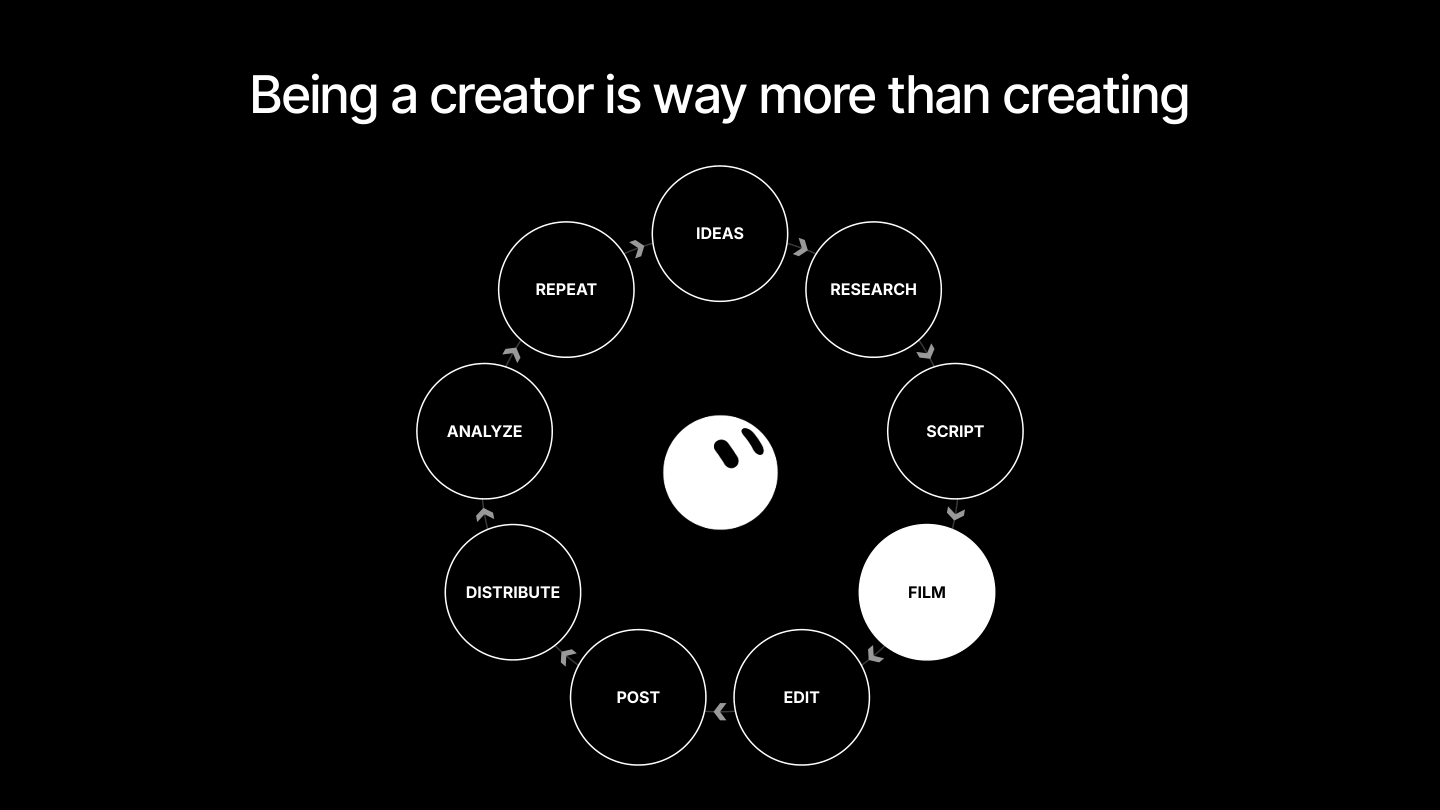
Being a creator is way more than filming and posting a video.
A single 60-second short can take days. There's the idea, the research, the script, the shoot, the edit, the post, the distribution, the analytics. Then you do it all again. All that busywork eats into the part you actually want to do: coming up with ideas and finding new stories to tell.
Grok Bot can take that busywork off your plate, so you can spend more time on what needs you: being creative.
We use Grok Bot internally to produce the ads we boost across our social channels, and dozens of the creators we partner with use it to edit and publish their videos. Here's how to set yours up across every step of the process.
Build a Bot that actually knows you
Your Bot can only perform as well as the context you give it.
The goal is a Bot that feels like an extension of you. One that never sleeps, never asks for a break, and keeps building your creator business 24/7.
To get there, brain-dump everything you know about how you make content. Talking it through with voice dictation is the fastest way to do it.
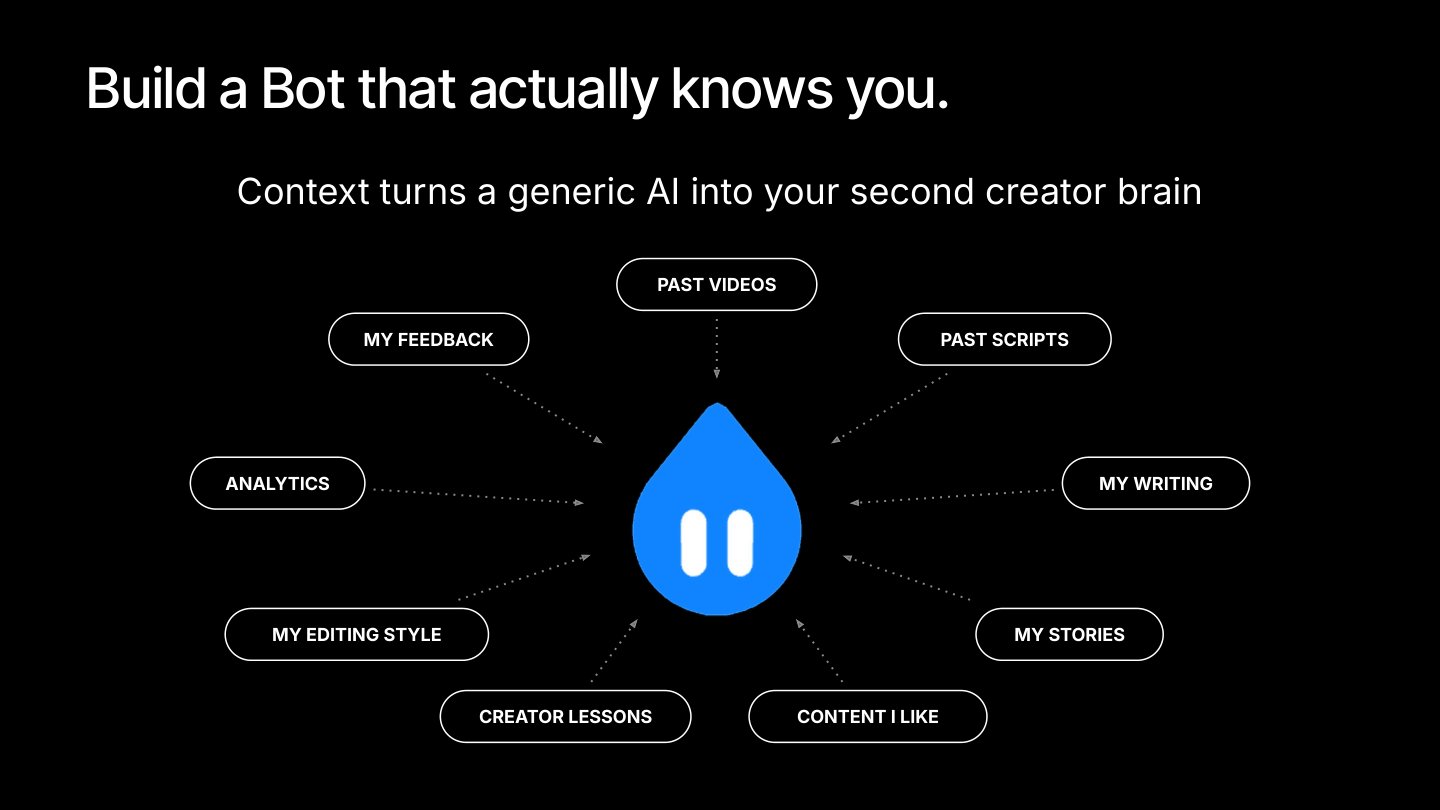
This isn't a five-minute job. Sit down and workshop everything you do as a creator with your Bot, so it understands how you think, what you like, and how you work. For example:
Share your past videos so it learns your editing style.
Give it content you love so it understands why that content works and how to adapt it to your style.
Connect your analytics so it can keep improving your scripts, your videos, and your strategy.
Your scripts, your writing, your stories, the lessons you've learned, your feedback. It all counts. Context turns a generic AI into your second creator brain, and a teammate you can actually work with.
Turn inspiration into ideas
Every piece of content starts with an idea.
One of the best ways to find inspiration is to build highly curated feeds around the content, creators, and styles you love. The problem: after saving hundreds of videos, it's almost impossible to keep track of what you actually wanted to take from each one.
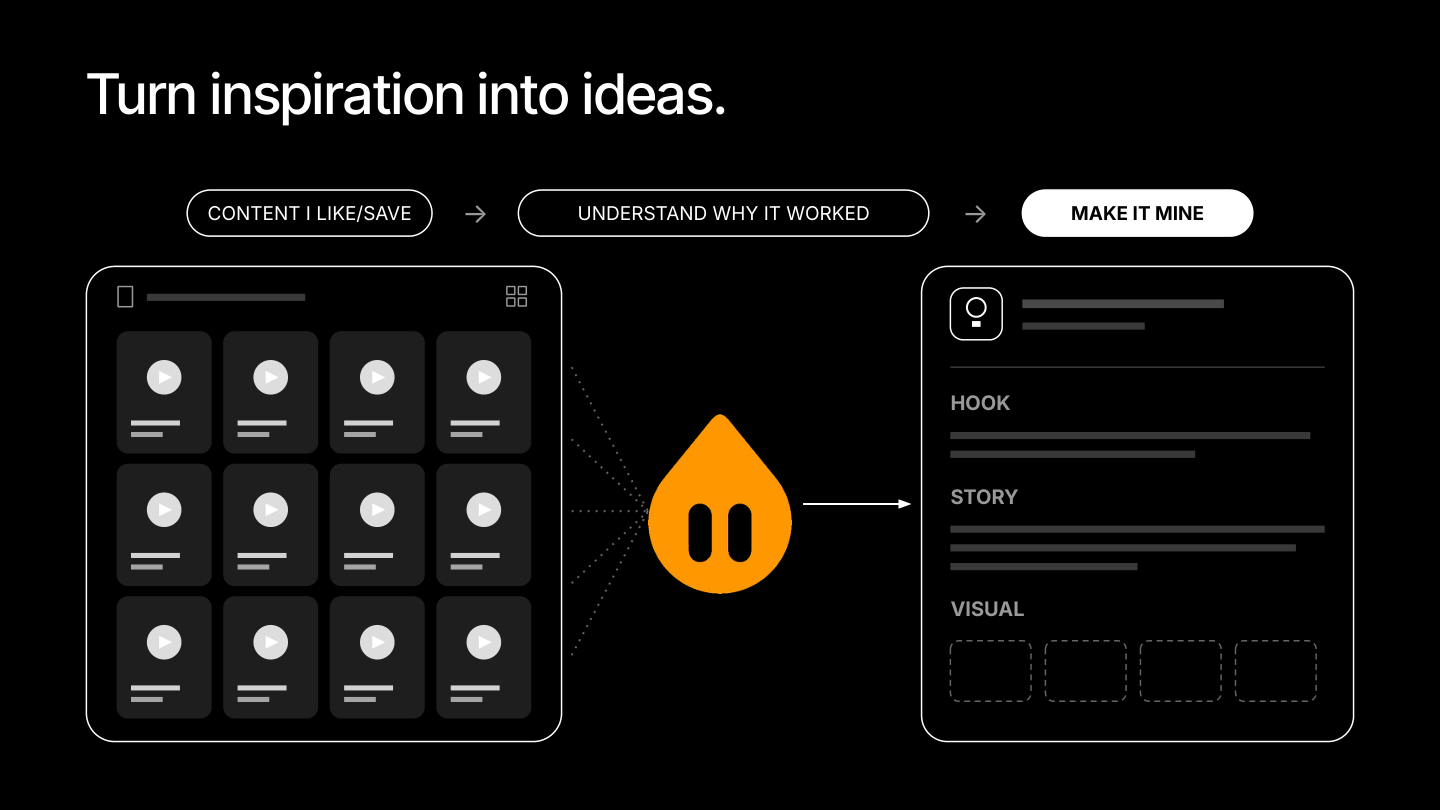
Grok Bot can watch the videos you save, organize them in Notion, a Google Doc, or wherever you plan and script your content, and break each one down for you:
Why it worked: what made the video perform.
The hook: how it grabs attention in the first few seconds.
The pacing: how the video moves and holds attention.
The sound: what song it used.
Make it yours: how to adapt the idea for your own brand and audience.
Instead of hundreds of saved videos sitting in a folder waiting for you to come back to them, your Bot turns that inspiration into ideas you can actually make.
Make it your script coach
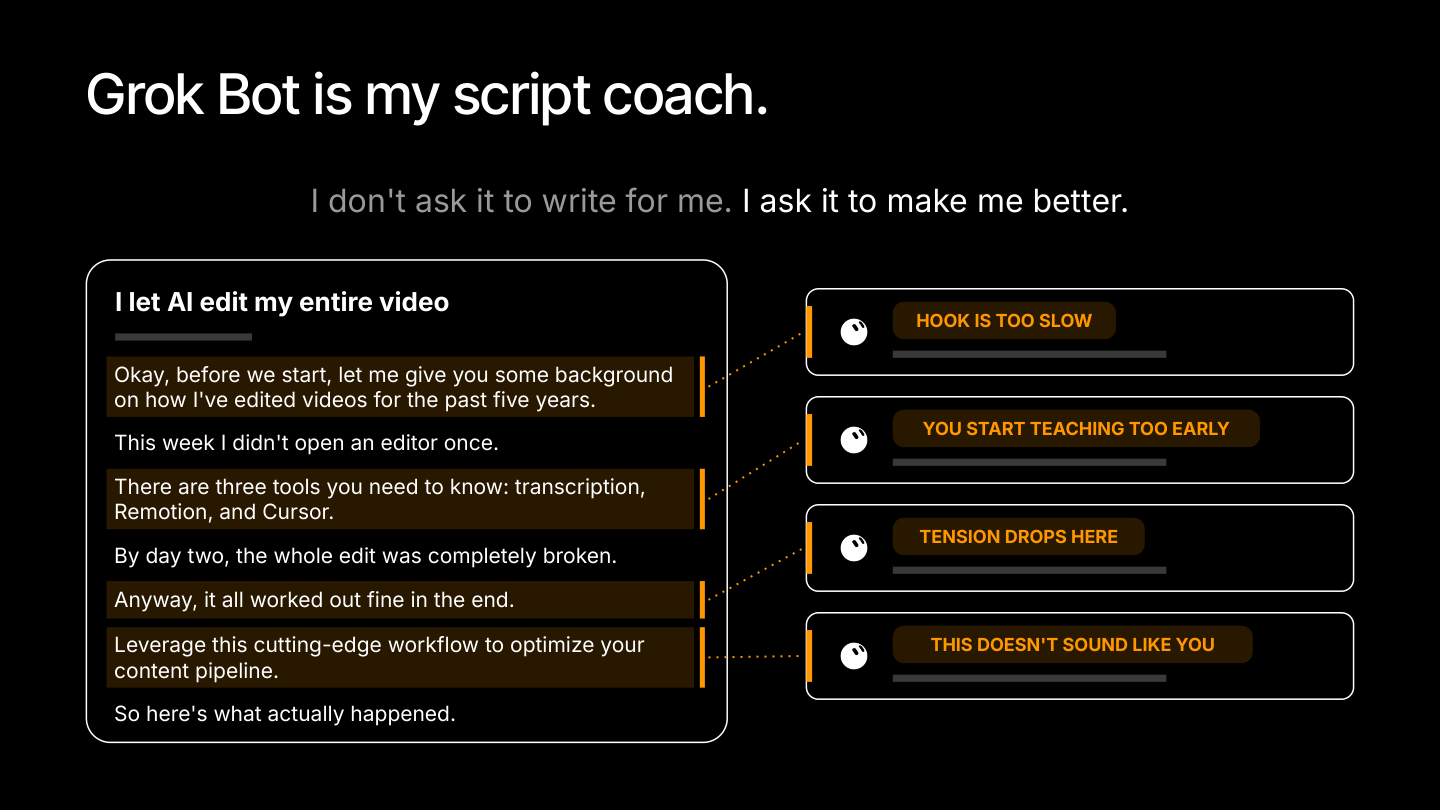
Don't ask your Bot to write for you. Ask it to make you better.
Great content lives or dies on hooks, pacing, cadence, and open loops. You need to grab attention in the first three seconds and hold it for the full 60. That's hard to get right on your own.
Feed your Bot videos you find extremely engaging, plus your own videos that performed well. Teach it what makes those videos work, how you structure your content, and what your voice sounds like.
From there, every script you share gets coached. Your Bot scores it, flags where viewers are likely to drop off, and tells you exactly how to fix it:
"Hook is too slow."
"You start teaching too early."
"Tension drops here. Consider cutting this line."
"This doesn't sound like you."
Drop in a rough stream-of-consciousness draft and get back a stronger hook and tighter pacing.
Let it produce entire videos
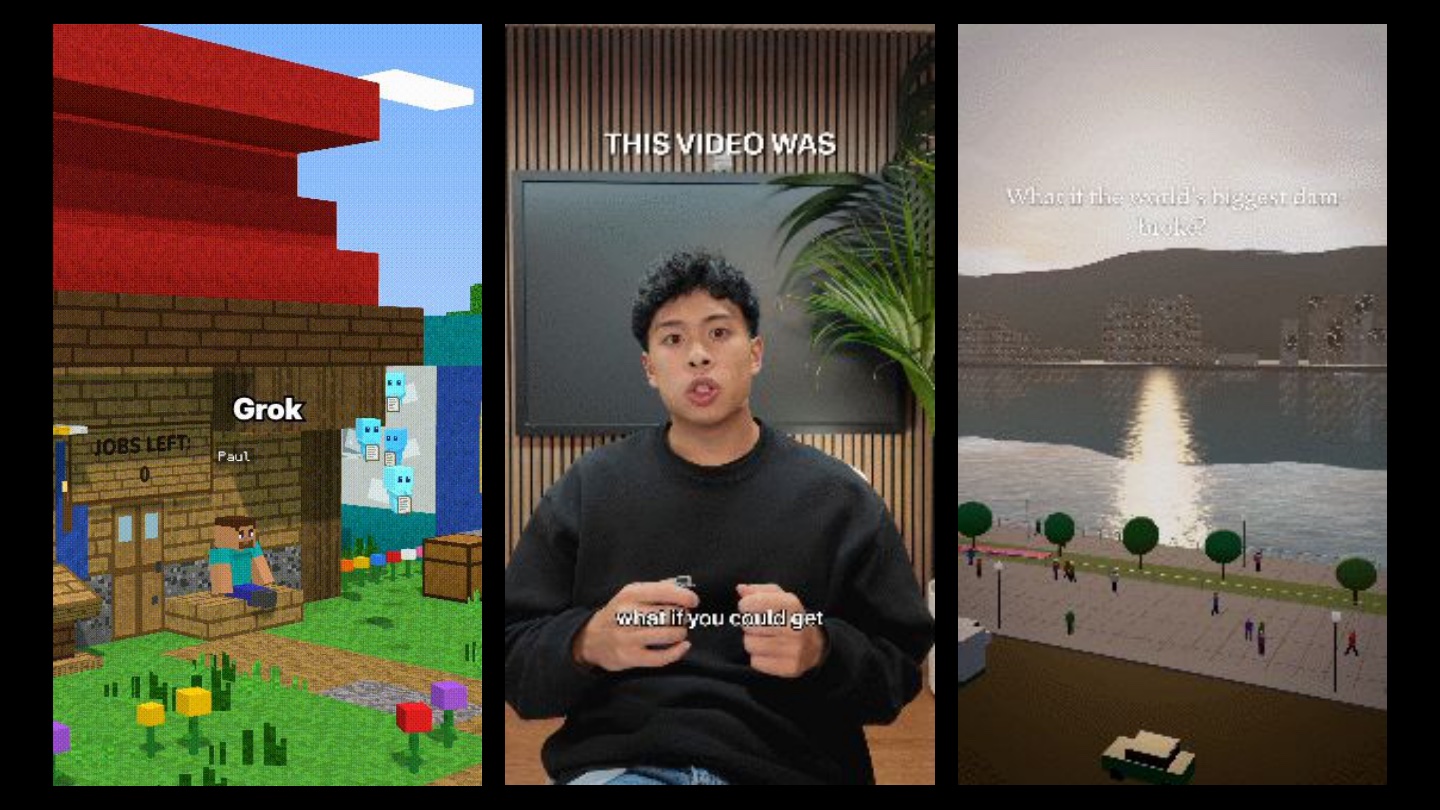
These three videos were 100% produced by Grok Bot:
A Minecraft-style explainer on how Grok Bot works, inspired by the kind of content all over the For You feed.
A "what if" scenario video about what happens during a natural disaster.
A talking-head video that we're now running as an ad across our channels.
The two animated videos started from a one-sentence prompt. Grok Bot storyboarded them, wrote the scripts, did the narration, and even composed its own background music.
For the talking-head video, Grok Bot took the raw footage, found the best takes, cut them together, added animations and overlays, and picked a background track.
How the Grok Bot editor works
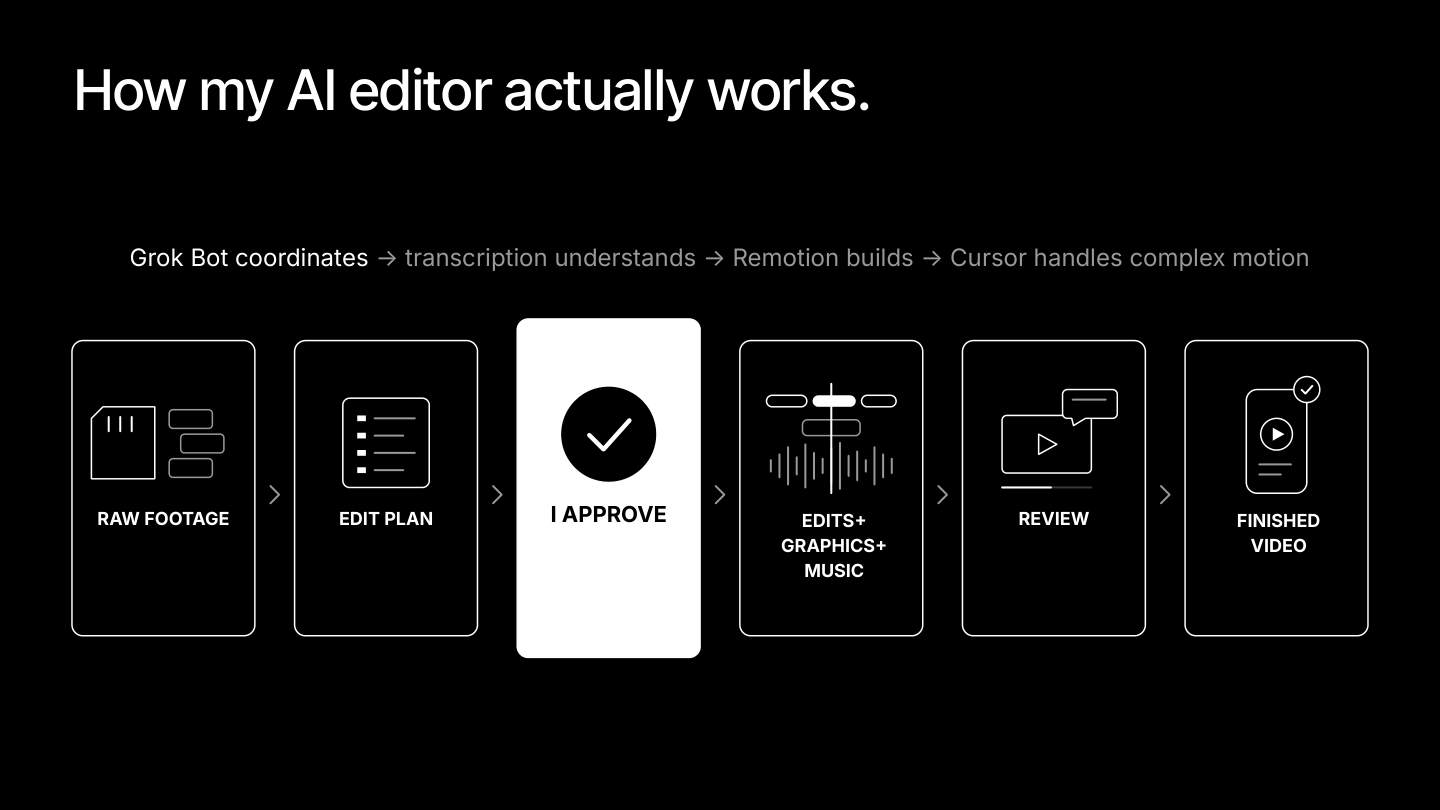
Grok Bot runs the whole job. It uses transcription to understand your footage, Remotion to build the edit, and Cursor to handle complex motion.
The most important part happens before you edit anything: give it as much context and content as you can. Here's the workflow:
Train it on your editing style. Give Grok Bot your finished videos and ask it to break down how they're edited and how you tell stories. Go back and forth until it can explain your style back to you in plain English.
Upload your raw footage. Drop in the clips you want to turn into a video, even a 10-minute take. Grok Bot finds the best clips and takes.
Get an editing plan. Grok Bot proposes how it will structure, cut, and edit the video, including where B-roll goes. It can even pull relevant photos from your iCloud or Drive.
Approve or give feedback. You're still the human in the loop. Sign off on the plan or request changes before any editing starts.
Kick off the edit. Grok Bot handles cuts, graphics, and music. It can work in your own editing software, like CapCut, DaVinci Resolve, or Premiere Pro. Or let it edit on its own cloud computer (our recommendation, more on that below).
Review and refine. Watch the cut, leave notes, and have it make final changes.
Post. Your finished video is ready to go.
The real unlock: parallel creation
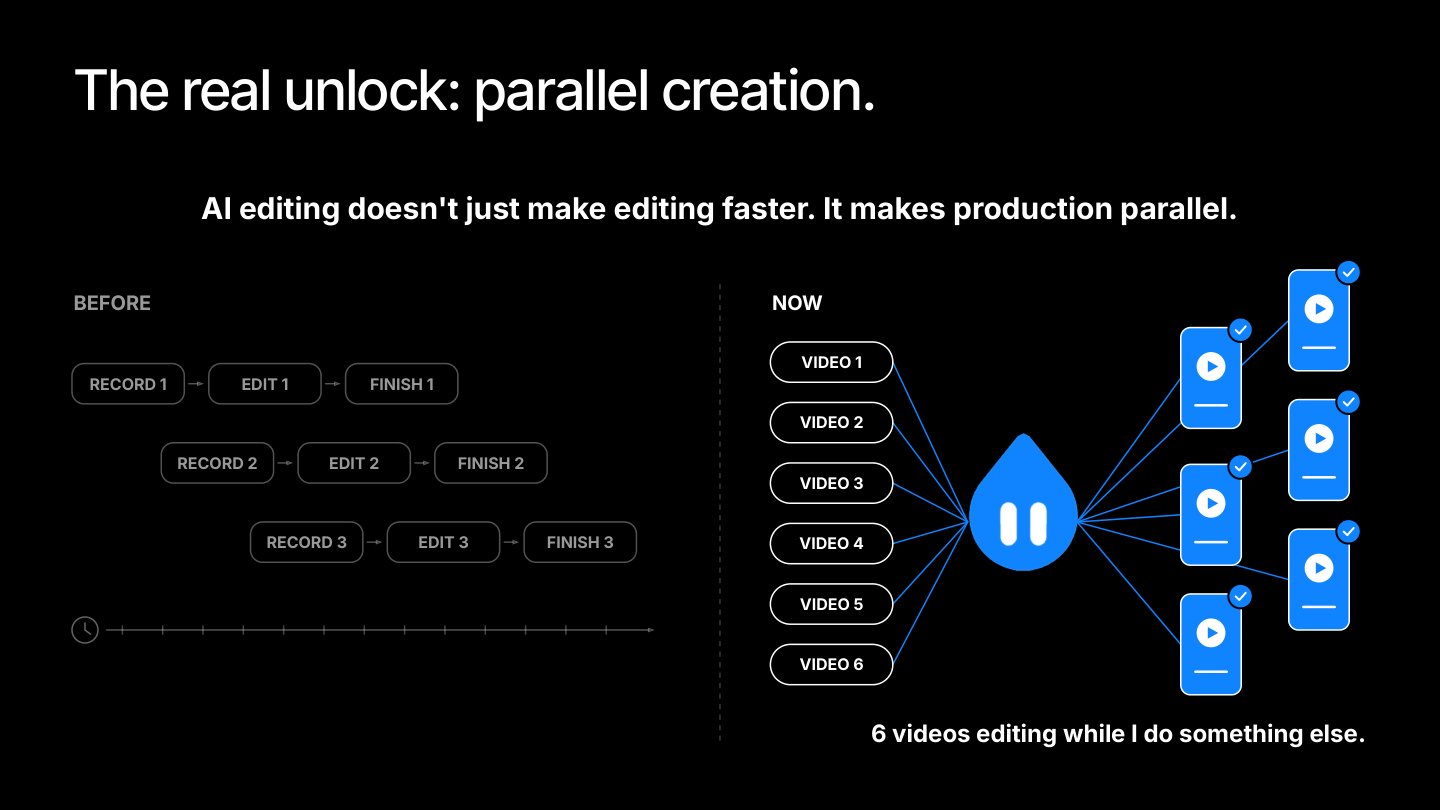
Because Grok Bot has its own cloud computer, it can edit every video you give it on its own machine, and you can hand it more than one at a time.
Ethan tested it by giving Grok Bot 10 raw video files at once. It edited all 10 in about two hours, complete with animations, overlays, and background music. Editing a single video by hand usually took him about two hours. All it needed was a few rounds of feedback.
AI editing doesn't just make editing faster. It makes production parallel.
While your Bots edit, you get that time back for the work only you can do: coming up with ideas, landing brand deals, working with your agents, digging into analytics, and building your brand.
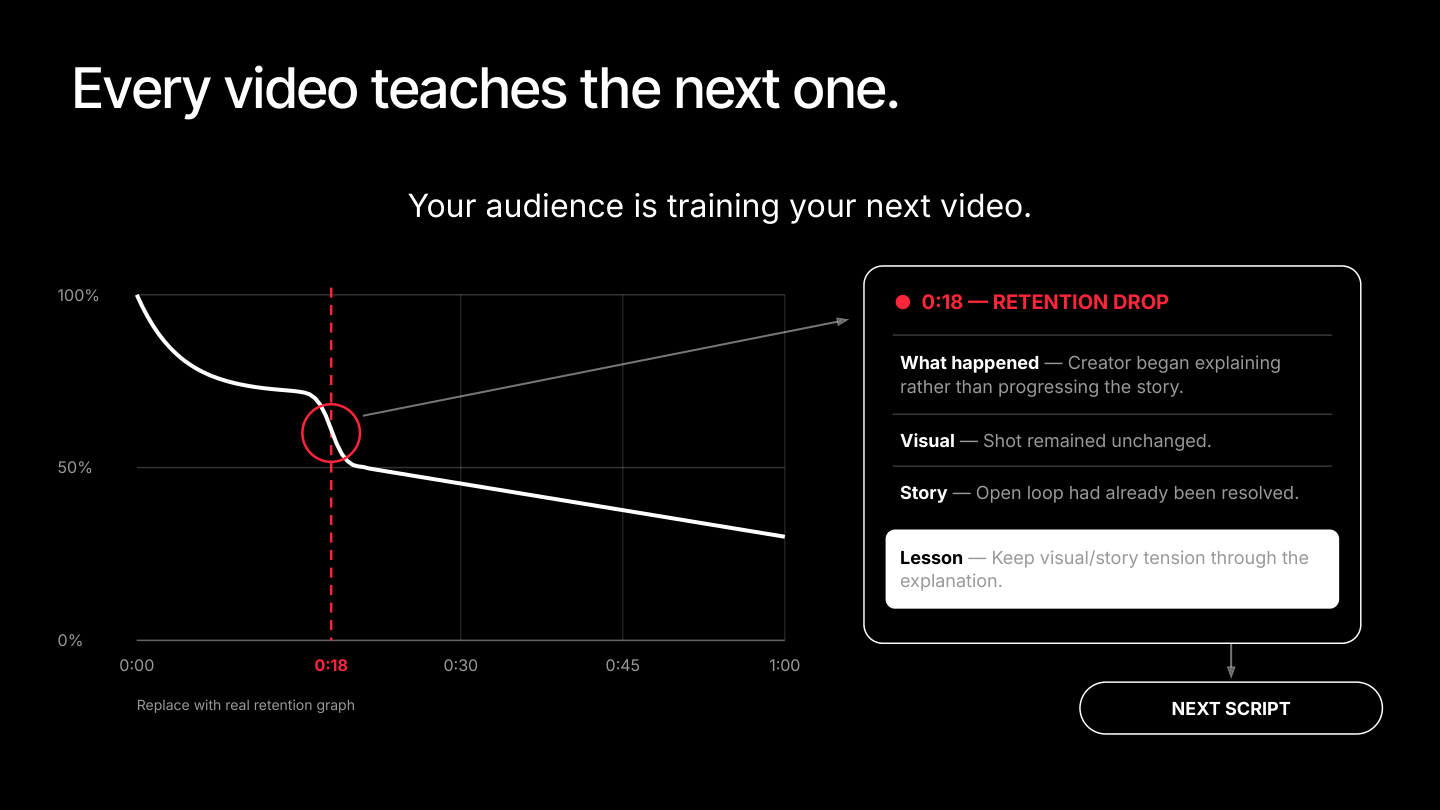
Every video teaches the next one
Your audience is training your next video.
Connect your analytics from every platform to Grok Bot. It can track where retention drops off, figure out why one video has a higher skip rate or share rate than another, and form hypotheses about what's working and what isn't.
Here's what a breakdown looks like for a retention drop at 0:18:
What happened: The video started explaining instead of moving the story forward.
Visual: The shot never changed.
Story: The open loop had already been resolved.
Lesson: Keep visual and story tension going through the explanation.
That lesson goes straight into your next script. Every video you post teaches your Bot to make better content, and teaches you what to do next time too.
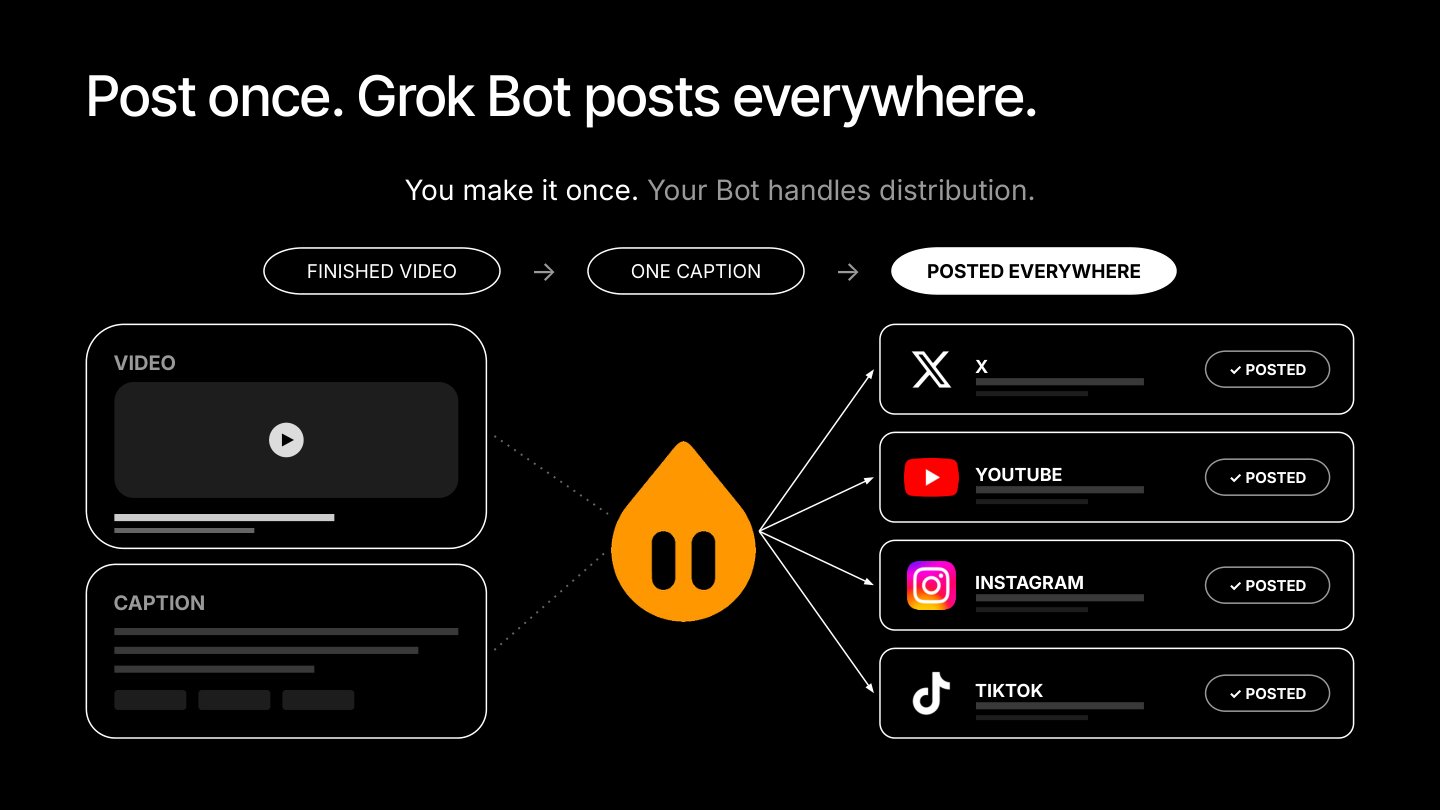
Post once. Grok Bot posts everywhere.
Cross-posting is tedious. Nobody wants to upload the same video to every app by hand.
You make it once. Your Bot handles distribution. Give Grok Bot the finished video, your caption, and your hashtags, connect your social accounts, and it uses its cloud computer to post on your behalf to X, YouTube, Instagram, and TikTok.
It's also an easy way to take part in the Video Kickstart bonus program.
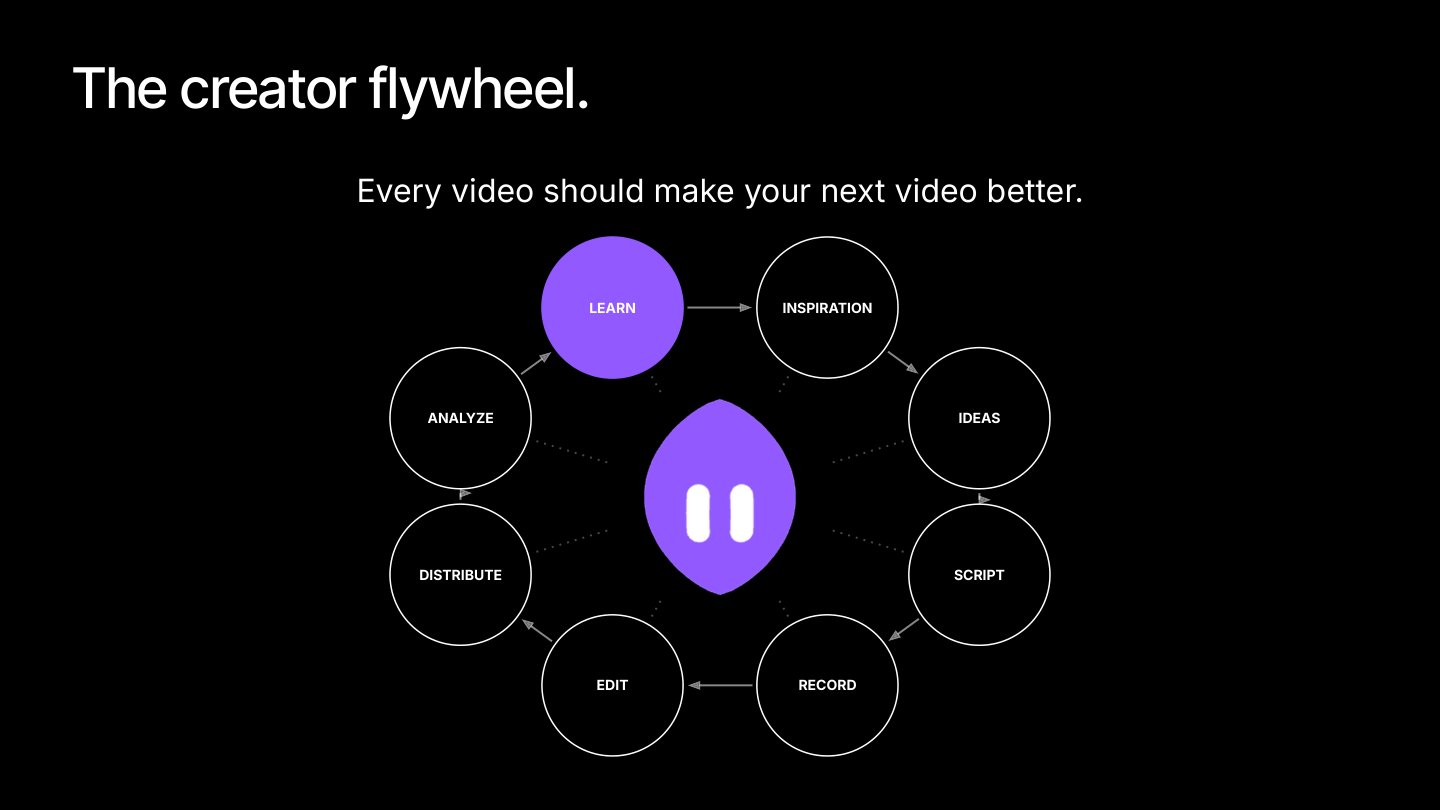
The creator flywheel
Learn. Find inspiration. Generate ideas. Script. Record. Edit. Distribute. Analyze. Repeat.
Grok Bot can help at almost every step: create faster, make more at scale, and keep the same quality bar, or raise it, while you keep improving with every video you post.
You know how you like your content made better than anyone. Give your Bot everything you know, and it'll take care of the rest.
Every video should make your next one better.