Created by @MilksandMatcha and @0xSero
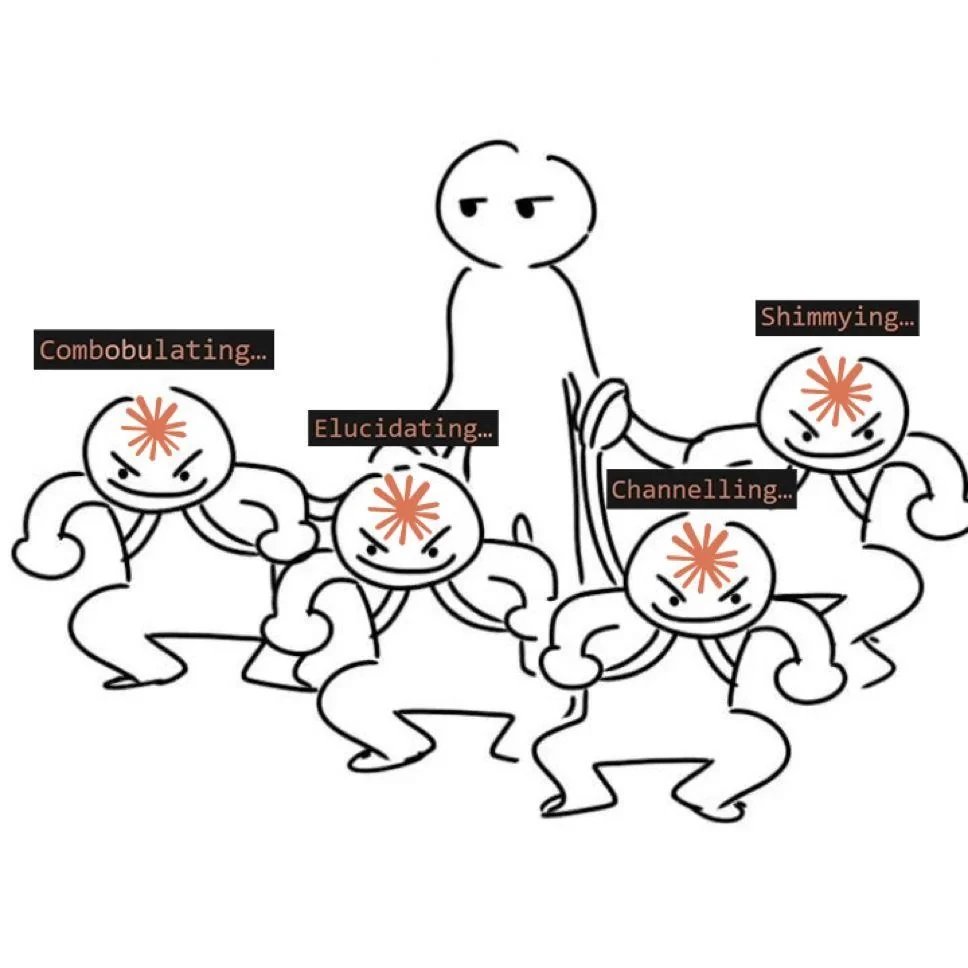
I pay my upfront subscription ($200/month), write what I hope is the right prompt (prompt AND context engineer), and wait. 35 minutes later, the agent is still "synthesizing," "perusing," "effecting," and "germinating" (who came up with these).
By the end, I have files of bad code, a bloated context window, and I'm counting the remaining tokens on my left hand.
Okay, I grab an apple, compact, type some heavy handed verbal abuse, re-explain everything from scratch, and pray the next attempt gets further than the last one… only to be disappointed by the same result.
By now, the spark and joys of AI coding are long dead.
Stop being a one-shot Sloperator
This is the single-agent ceiling. Every developer building with AI agents hits it the moment their project graduates from a 3D HTML snake game to anything more practical. This happens for two reasons:
-
we expect too much from a single agent
-
we do not break problems into simple enough, verifiable tasks
And while this is when most people will sell you (a) a useless course on prompt engineering, (b) another SaaS tool that manages your context, (c) or ask why you haven't tried out the new model that came out seconds ago, we won't be doing that today.
Instead, we're going to walk you through what actually works: running a proper back of house. Multi-agent workflows.
Welcome to the back of house
There are a few reasons why multi-agent workflows have become much more practical in recent weeks: underlying models have gotten better, and popular AI coding agents have made multi-agent orchestration easier to set up. In the last quarter, OpenAI rolled out deeper orchestration in Codex workflows, while Anthropic continued expanding Claude Code and the MCP ecosystem.
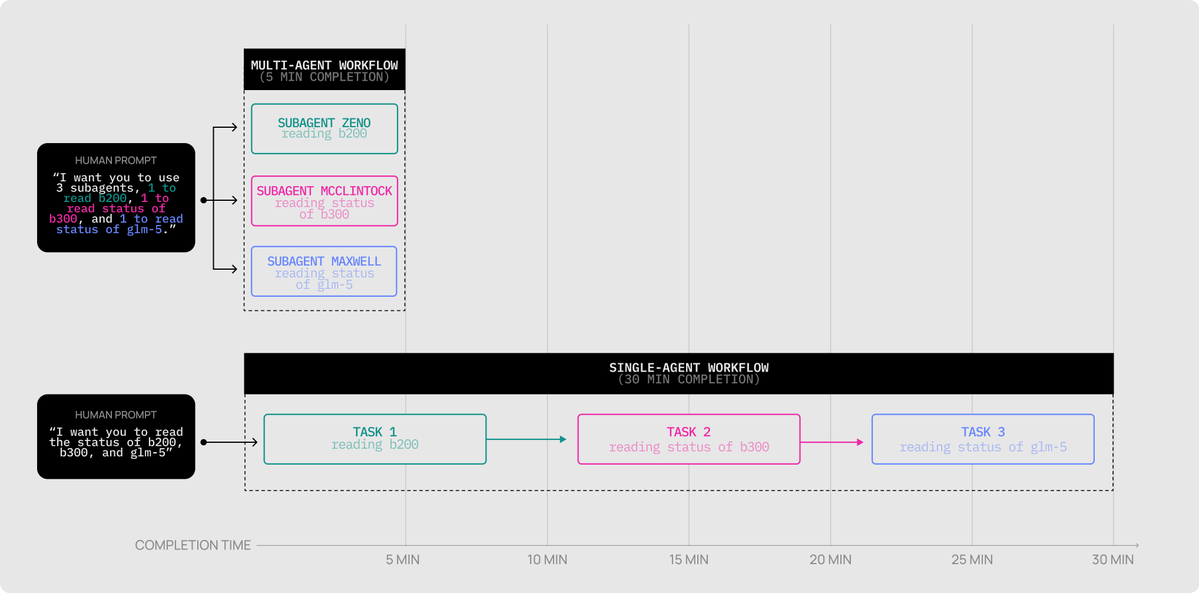
The biggest unlock, though, is speed. One of OpenAI's latest models, Codex Spark (powered by @cerebras) runs at roughly 1,200 tokens/second, which makes it practical to introduce parallel and verification steps that would otherwise be too time-costly to run.
For an example task using Codex and the Figma MCP to copy a website into Figma, the single agent workflow had a 36.5 min/run average with an average of 12 interventions (and 100% failure rate) while the multi-agent workflow leveraging CodeX Spark had a 5.2 minute run, 2 manual interventions, and success on the first try.
What is a multi-agent workflow?
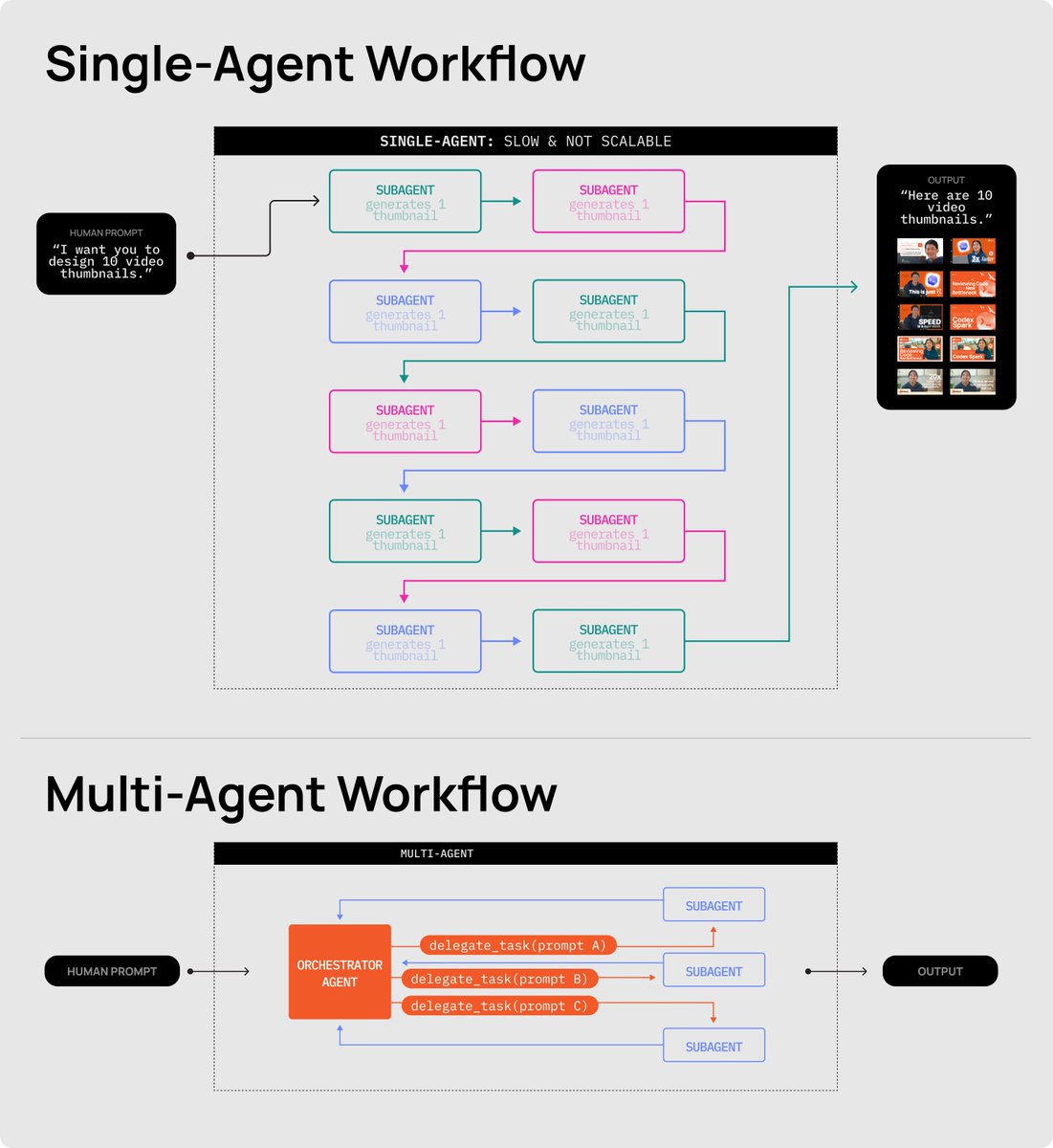
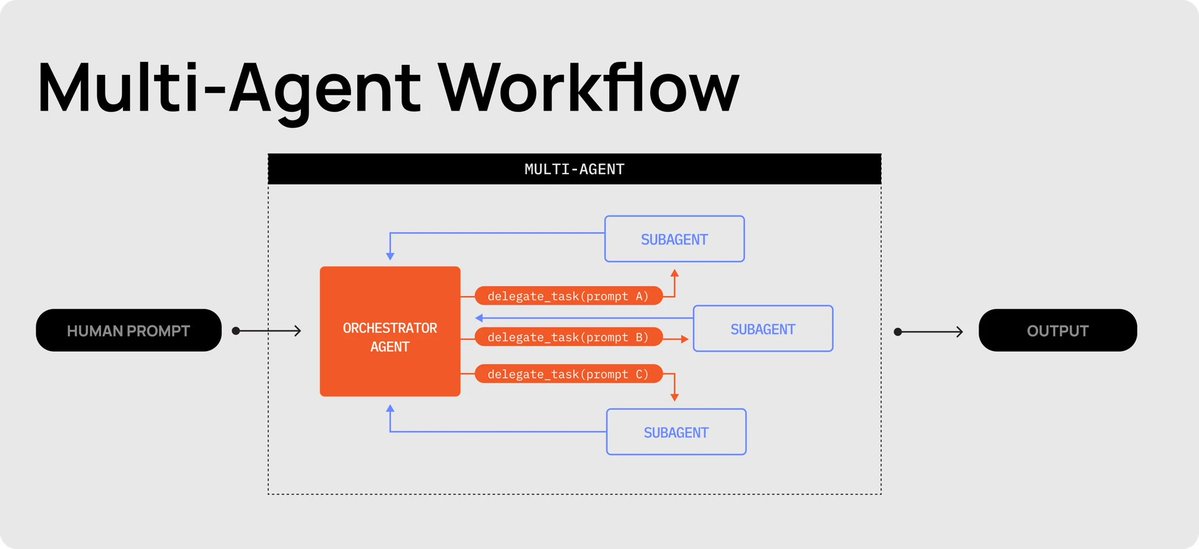
Multi-agent workflows fix the single-agent ceiling at the architecture level. Instead of one cook doing everything, you have a head chef who takes the order, breaks it into scoped, verifiable tickets, and hands each one to a line cook to execute.
***The Head Chef (Orchestrator): ***
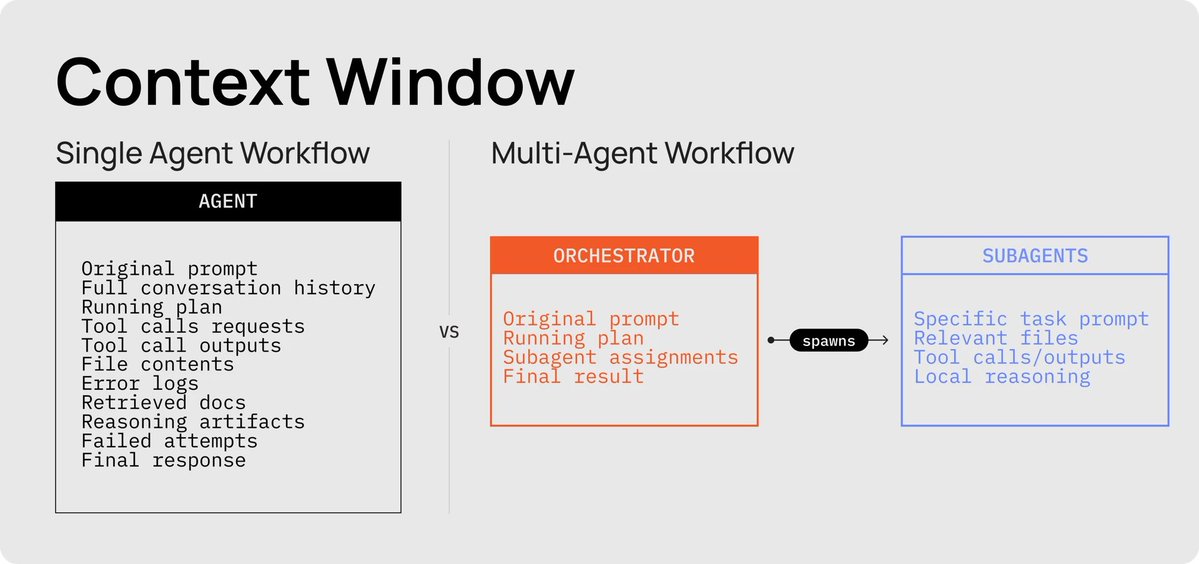
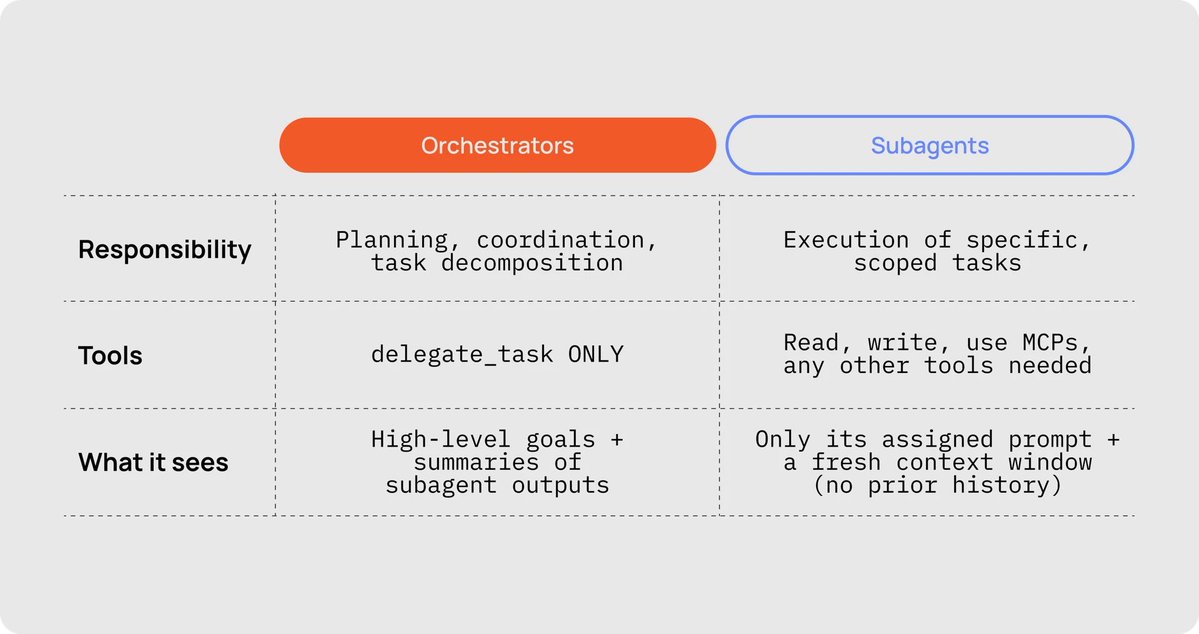
The Head Chef's job is to take the order from the human, break it into a working list of tickets, then call line cooks to each go out and complete one smaller, scoped job. The orchestrator is responsible for planning, coordination, and task decomposition. Its only tool is delegate_task, and it only sees high-level goals plus summaries of subagent outputs.
***The Line Cooks (Subagents): ***
The Line Cook's job is to take the ticket (task assignment) given by the Head Chef and get the job done, no questions asked. Each line cook gets its own fresh station (context window), does its work, returns the plate, and clocks out. Subagents can read, write, use MCPs, and any other tools needed. They only see their assigned prompt and a fresh context window (no prior history).
The trick to keeping things orderly: the line cook doesn't get the full order history. It also doesn't get your 15,000-token master plan document, it doesn't need to see all that. It gets the minimum viable context to cook one specific dish.
In AI agents like Codex, you create a line cook by literally telling your agent to "use subagents." The new instance gets a prompt, a set of files it can access, and any context it needs.
Three immediate wins from running a back of house
There are three clear wins you get from Orchestrators and Subagents, instead of trying to one-shot whatever you are building or sticking to a single, frontier, expensive model.
1. Tokens: your effective context window goes from ~200K to 25M+
Here's how the human, orchestrator, and sub-agents interact:
-
The human talks exclusively to the orchestrator.
-
The orchestrator is stripped of all tools other than delegate_task.
-
If the orchestrator wants to take an action, it spawns a sub-agent via delegate_task.
-
Each sub-agent has its own fresh context window, starting only with a prompt.
-
Sub-agents can read, write, use MCPs, and any other tools.
-
Sub-agents return a summary of their work back to the Head Chef.
This means the orchestrator never has to read files, write files, or see tool-call results directly, effectively extending its context window to as many sub-agents as it can spawn. You can work all day without losing context, compacting, or starting over.
https://huggingface.co/moonshotai/Kimi-K2.5
2. Control: you can enforce sequential workflows at each turn of the agentic loop
Instead of one agent doing the exploration, cooking, tasting, and plating, each step becomes a precise, sequential ticket. This is also a great place to use different models for different tasks. With significantly faster models like Codex Spark (~1,200 toks/sec), we can add validation and QA steps that would normally be too time-costly.
The orchestrator follows a script, spawning one sub-agent per phase:
-
Sub-agent A breaks the order into a "contract" with subtasks and criteria.
-
Sub-agent B explores the next subtask.
-
Sub-agent C tests the code generated in the prior subtask. If tests pass the validation criteria, move on. Otherwise respawn the coding line cook to fix identified issues.
-
Sub-agent D documents the subtask and updates the scope checklist.
-
If any subtasks remain, continue from step 2. Otherwise, service is done.
In internal trials, this sequential loop reduced manual interventions by 84.3% compared to single-agent runs on the same brief.
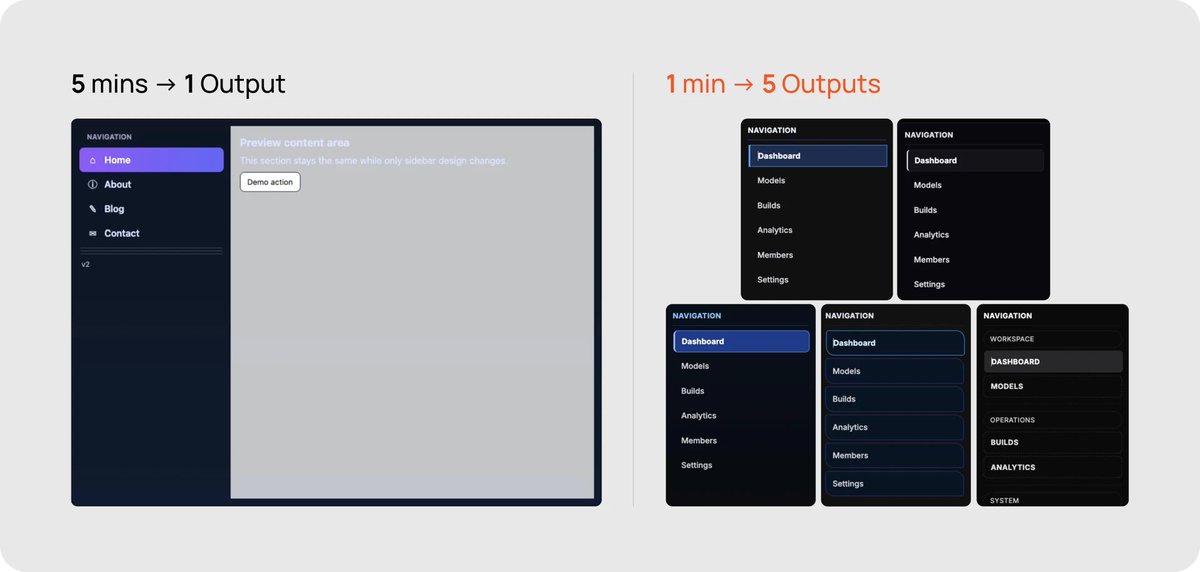
3. Speed: you can run well-defined tasks in parallel
If your task permits it, you can spawn multiple sub-agents in parallel. This works well for:
-
generating logos, images, mascots, assets, mockups, designs, or tests
-
exploring a massive codebase orders of magnitude faster
-
building multiple pages quickly, where each subagent works on separate parts of a codebase and doesn't overwrite each other.
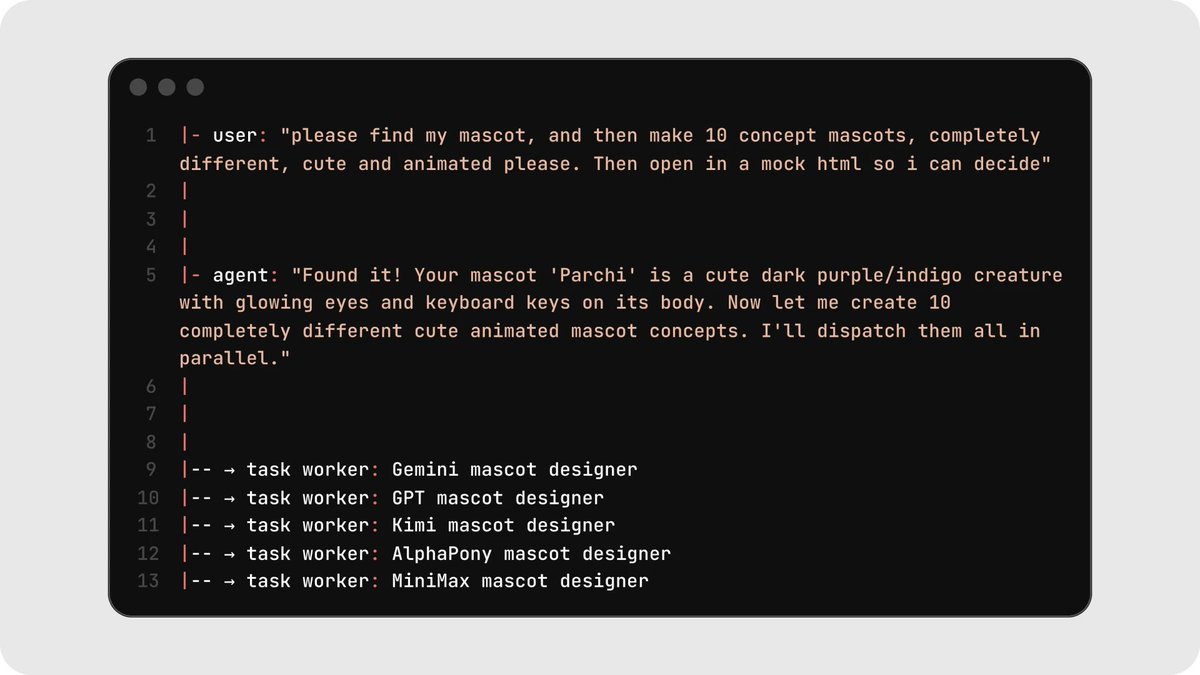
Running five parallel mascot generations took roughly one minute versus five minutes sequentially, about a 5x speedup on taste-driven exploration tasks.
5 Patterns That Actually Work
Over the past few weeks, we've tried dozens of workflows and setups across different AI agents. Below are five patterns we've found success with for building multi-agent workflows.
If you're new to this, start at the top and work your way down :)
Pattern 1: The Prep Line
Before service, a professional kitchen doesn't have one cook slowly dicing every single vegetable. It has a row of prep cooks each working independently on the same station, one dicing onions, one breaking down shallots, one portioning proteins. At the end, the sous chef inspects and picks what makes the cut.
This is the right shape for tasks like design exploration, code variations, or test generation. Have your line cooks each generate many options, then manually pick the best ones. Every line cook works on the same brief independently, and you (yes, you do have one small task) curate the results. This is the easiest way to get your feet wet with multi-agent workflows because every task is fully independent, with no file conflicts, dependency graphs, or merge logic.
As an example: we wanted to create 50 variations of a mascot for Parchi, so we dispatched 5 Codex spark sub-agents with 10 variations each. Then we cherry-picked the ones we liked and tossed the rest.
https://factory.ai/news/missions
The best part of this pattern: it's also a great way to inject taste into your AI workflow. ***Models today have very little taste. ***
Chances are, you might also lack taste. For most developers, the brute-force solution is sourcing examples of design or graphic patterns, or giving the AI coding agent enough style guidelines that you might as well have written the html/css yourself. Instead of that tedious manual process, have your Head Chef call a brigade of line cooks, then cherry-pick your favorite.
https://github.com/0xsero/parchi
Pattern 2: The Dinner Rush
During a Friday night dinner rush, every station in the kitchen, sauté, grill, garde manger, pastry, is firing simultaneously. Each line cook owns a different job, but they're all plating at once, all contributing to the same ticket.
This is the concept behind "swarms," pioneered by MoonshotAI when they trained Kimi-K2.5. With swarms, each line cook is responsible for a single, scoped, distinct task. These line cooks run simultaneously, all contributing to one shared goal.
Good fits: building multiple independent components of an app, writing tests for different modules, or porting pages from one framework to another.
The setup requires a few things to go right:
-
you need a deeply specific scope of work
-
that scope needs to break into individual, verifiable steps
-
each task must have clearly documented dependencies
-
each task should only require a predefined set of files to change, so line cooks don't overwrite each other.
Important: The key requirement is that tasks don't share files. The moment two line cooks need to edit the same file, you need a different pattern.
Pattern 3: Courses in Sequence
A tasting menu doesn't come out all at once. The amuse-bouche goes out before anyone fires the appetizer, appetizers clear before entrées start plating, and dessert waits its turn. But within a single course, every station is cooking in parallel.
This is the idea behind phased parallel execution. You break your project into courses (or "waves") where each course strictly depends on the one before it. Within each course, any number of tasks and line cooks can run in parallel. This is perfect for bigger projects like full app rebuilds or large refactors.
To make this pattern work, you need a dependency tree, strict ordering, and refined prompts. It's worth referencing https://factory.ai/news/missions to see how they've handled this.
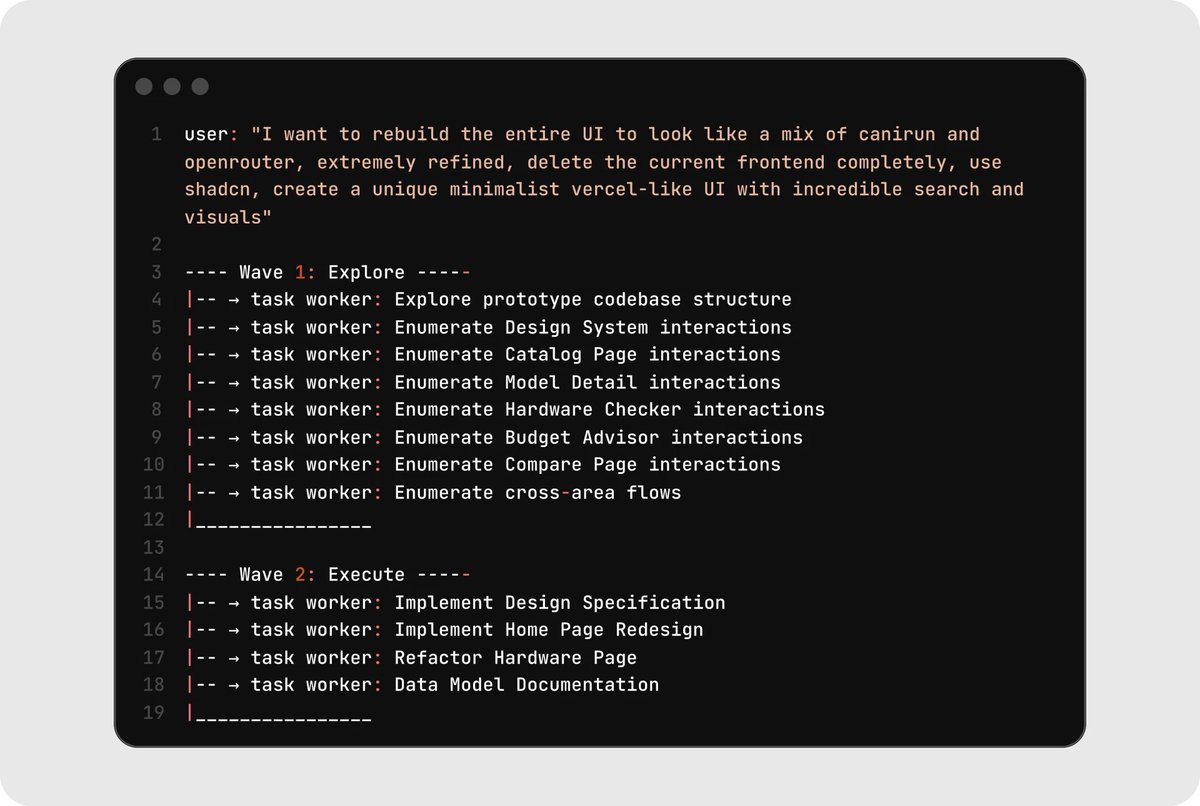
Here's a real example from rebuilding an entire UI. Course 1 explored and mapped everything, while Course 2 built on top of that shared understanding. Neither course's line cooks needed the full conversation history. They got exactly the context brief relevant to their ticket.
As the human, you clearly define what is needed. The course structure gives you parallelism and sequencing, which is why it scales to real projects better than pure swarms.
Pattern 4: The Prep-to-Plate Assembly
Your line cooks don't each build a dish from scratch. One station trims and seasons the protein, the next sears it, the next finishes it in the oven, and the expediter plates and garnishes. Each station has one clear job, hands off cleanly, and nothing drags sauce from the previous ticket into the next.
In this pattern, line cooks operate sequentially down the pass. Each cook does one smaller task, validates it, then hands the workpiece to the next station.
This pattern is perfect for long-horizon tasks with clear, observable, and verifiable outcomes, research-heavy tasks, or multi-step pipelines. The core principle: do not keep dragging unrelated history through one giant thread. Each phase gets enough context to do its part, then hands off. State lives in files and task queues, not in conversation.
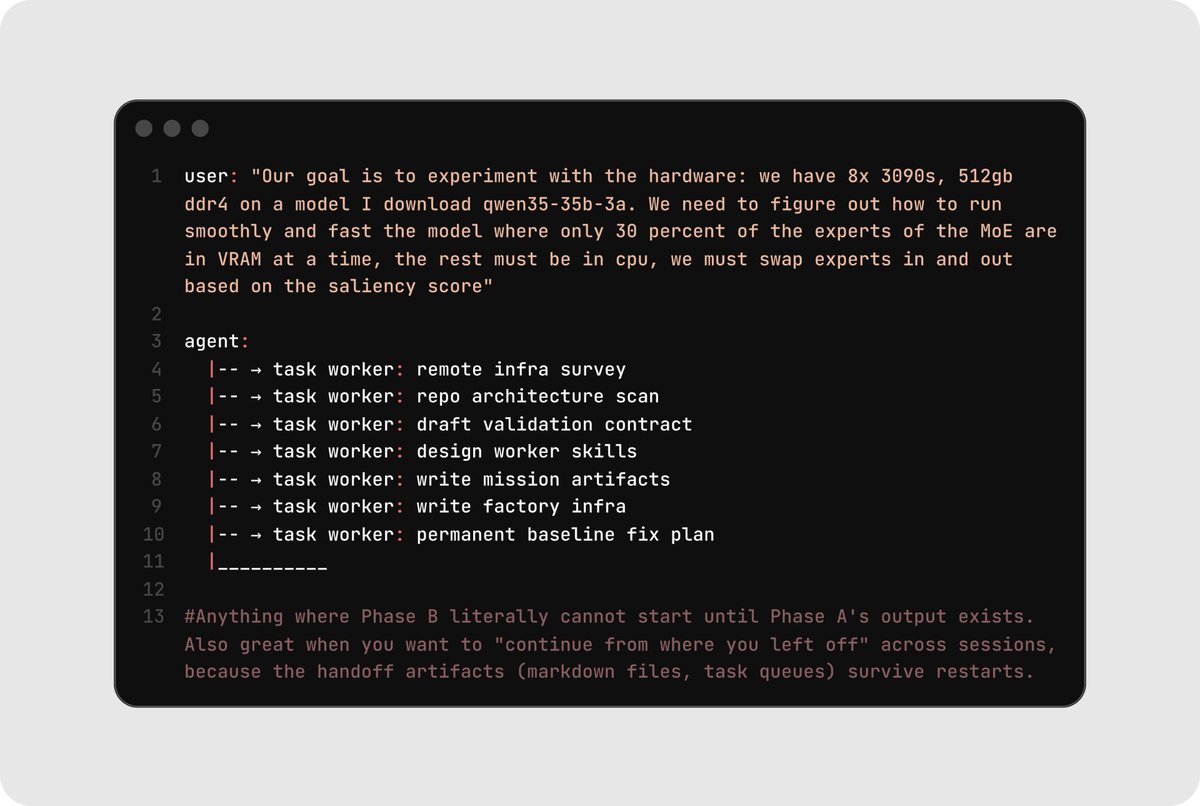
Clean handoff between phases. State lives in files and task queues, not in conversation history. In one example where the goal was to run a custom model on specific hardware, each line cook had a clear, bounded job.
Here's an example where the goal was to run a custom model on specific hardware. Pay special attention to how each line cook had a clear, bounded job.
Pattern 5: Here comes Gordon Ramsay
In a professional kitchen, the chef makes the dish, but it does not go straight to the customer (we wish). Instead, it passes through inspection first. One person checks whether it was cooked properly while another checks whether it matches the order and is plated correctly.
This final pattern isn't a project architecture so much as a discipline: you separate the line cooks that write code from the line cooks that check code. One builder cooks, while two verifiers (a code reviewer and a visual/functional tester) run in parallel to validate the output. If either verifier flags an issue, the builder gets another pass. Especially with the availability of near-instant coding models like Codex Spark, adding verification is practically free.
In this workflow, only one builder writes at a time, but multiple verifiers can run simultaneously. This is the single most important rule for avoiding merge conflicts and context drift, and it applies inside every other pattern on this list.
When to use it: Always. Whatever pattern you're running, layer this on top. Separating build from verify catches failures before they cascade into downstream tasks. Use browser automation, screenshots, and deterministic tests for the verify step. The goal is that no line cook's output makes it onto the pass without evidence that it works.
Where this is heading
If you take one thing from this reflection, let it be this: the era of the solo-agent one-shot is over. We're still early, and these patterns will keep evolving as models get faster, context windows get longer, and tooling matures.
Take off the apron and put on the chef's coat. You're running the kitchen now, and your brigade is waiting. You can read more about how to get started with Codex and Codex Spark here.
Thanks to input from Zhenwei Gao and James Wang, and @brickywhat who first introduced us to the term 'sloperator'. Illustrations by @halleychangg.