返回列表
🧠 阿头学 · 🪞 Uota学

Codex 入门——从临时助手到可管理的团队队友

把 AI 从"一次性提示工具"升级为"带规则、能自验、可自动化的系统队友",核心是沉淀资产而非重复提示。
打开原文 ↗

2026-03-10 原文链接 ↗
阅读简报
双语对照
完整翻译
原文
讨论归档

核心观点

  • 从提示工程到资产沉淀 写好一次提示不是终点,真正的杠杆在于把跑通的做法固化成 AGENTS.md(全局规则)、SKILL.md(具体技能)、automations(定时执行),让 AI 拥有"长期记忆"和"肌肉记忆"。
  • 闭环验证是可靠性的基础 不要只让 AI 生成结果,必须强制它定义"什么叫完成"并自己跑完验证闭环(测试→Lint→审阅→复盘)。这把质量控制从"人盯人 review"升级为"系统性管道"。
  • G-C-C-D 结构化任务下达 任何高价值任务必须包含四要素:Goal(目标)、Context(上下文)、Constraints(约束)、Done(完成标准)。这让 AI 的输出从"可能有用"变成"可直接验收"。
  • MCP 打破信息孤岛 用 Model Context Protocol 连接外部实时数据源(而非复制粘贴),让 AI 从静态生成器变成拥有实时触角的"情报官"。
  • 稳定性阶梯:Prompt → Plan → AGENTS.md → Skills → Automations 这是从手工作坊到流水线的迁移路径,也是避免过早自动化的风险控制。核心规则:skills 定义方法,automations 定义排期。

跟我们的关联

  • 团队 SOP 标准化与新人入职加速
  • AI Agent 能力建设的组织化路径
  • 海外增长 playbook 的可复制性设计

讨论引子

1. Neta 目前最高频的"重复手工操作"是什么?这些操作是否已经达到可以封装成 skill 的稳定度? 2. 在海外增长战役中,哪些外部数据源(用户反馈、竞品动态、渠道数据)最值得通过 MCP 让 AI 实时获取? 3. 如果把"增长 playbook"写成 AGENTS.md + skills 的形式,新员工或新 agent 的上手周期能缩短多少?

如果你刚开始接触 @OpenAI Codex 或者编码智能体,这份指南将帮助你更快获得更好的结果。它涵盖了让 Codex 在 CLI、IDE 扩展以及 Codex 应用中更高效的核心习惯——从提示与规划,到验证、MCP、技能(skills)与自动化(automations)。

当你少把 Codex 当作一次性的助手,多把它当作能随时间配置与持续改进的队友时,Codex 的效果往往最好。

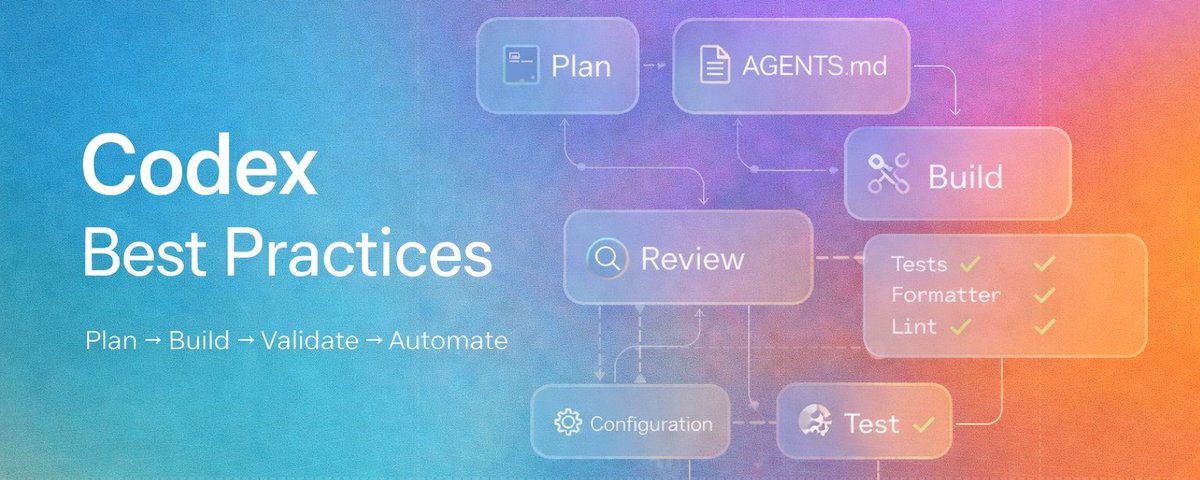
一个好用的心智模型是:从提供正确的任务上下文开始,用 AGENTS.md 固化可复用的指导,把 Codex 配置成符合你的工作流,用 MCP 连接外部系统,把重复劳动变成 skills,并将稳定的工作流自动化。

1. 用清晰的上下文与提示,让 Codex 第一次使用就打下坚实基础

即使你的提示并不完美,Codex 也足够强大,依然能发挥作用。你常常只需很少的准备就能把一个难题交给它,并得到不错的结果。清晰提示并非获得价值的前提,但它能让结果更稳定——尤其是在大型代码库或高风险任务中。

如果你在一个很大或很复杂的仓库里工作,最大的“解锁”通常是:给 Codex 正确的任务上下文,并为你希望完成的事情提供清晰的结构。

一个很好的默认做法是在提示中包含四样东西:

  • 目标:你想要修改或构建什么?

  • 上下文:哪些文件、文件夹、文档、示例或错误信息与这个任务相关?你也可以用 @ 提及某些文件作为上下文。

  • 约束:Codex 应遵循哪些标准、架构、安全要求或约定?

  • 完成标准:在任务完成前,哪些事情必须为真?例如测试通过、行为改变或某个 bug 被修复。

这能帮助 Codex 保持范围清晰、减少假设,并产出更易审阅与验证的工作成果。

根据任务难度选择推理等级,并找到最适合你工作流的设置。不同用户与不同任务往往适合不同的设置。

  • 低:更快、范围明确的任务

  • 中或高:更复杂的改动或调试

  • 超高:更长、更具智能体特征、推理更重的任务

给新用户的建议:大多数人上手最快的方式,是先拿到几个基础的胜利——比如让 Codex 回答关于代码库的问题,或让它做一个小而明确的修复。强烈推荐在 Codex 应用里使用语音输入来加速迭代。

https://developers.openai.com/codex/app/worktrees

2. 面对困难任务,让 Codex 先做计划以减少错误

如果任务复杂、含糊,或很难清楚描述,先让 Codex 制定计划,再开始写代码。

有几种好用的方法:

使用 Plan mode:对大多数用户来说,这是最简单也最有效的选择。Plan mode 让 Codex 在实现前先收集上下文、提出澄清问题,并形成更扎实的计划。可通过 /plan 或 Shift+Tab 切换。

让 Codex 采访你:如果你对想要什么有个大致方向,但不确定如何描述得好,先让 Codex 向你提问。让它挑战你的假设,把模糊想法在写代码前变得具体。

使用 PLANS.md 模板:对于更高级的工作流,你可以配置 Codex 在更长周期或多步骤的工作中遵循一个 PLANS.md 或 execution-plan 模板。更多细节可查看我们的执行计划指南。

https://developers.openai.com/codex/skills

3. 用 AGENTS.md 把有效指导变成可复用的资产

当某个提示模式奏效后,下一步就是别再手工重复它。这正是 AGENTS.md 的价值所在。

可以把 AGENTS.md 理解为面向智能体的 README。它是一个简单、开放的格式,会自动加载进上下文,也是把你和团队希望 Codex 在仓库里如何工作的方式编码下来、固化为规则的最佳位置。

一份好的 AGENTS.md 通常会涵盖:

  • 仓库结构与重要目录

  • 如何运行项目

  • 构建、测试与 lint 命令

  • 工程约定与 PR 期望

  • 约束与禁止事项(do-not rules)

  • 什么算完成(done),以及如何验证工作

CLI 中的 /init 斜杠命令可以在当前目录快速生成一个 AGENTS.md 的脚手架版本。它是很好的起点,但你应该编辑生成结果,让它与团队真实的构建、测试、审阅与发布方式一致。

你可以在多个层级创建 AGENTS.md 文件:~/.codex 中的全局 AGENTS.md 作为个人默认设置、仓库根目录的文件用于共享标准,以及子目录里的更具体文件用于局部规则。如果在你当前目录附近存在更具体的文件,那么更具体的指导优先。

保持务实。短而准确的 AGENTS.md 比长篇但充满空泛规则的文件更有用。先从基础开始,只在你注意到重复错误之后再添加新规则。

如果 AGENTS.md 开始变得过大,可以让主文件保持简洁,并用它引用任务特定的 markdown 文件,例如规划、代码审阅或架构等主题。

提示:当 Codex 同样的错误犯了两次,要求它做一次复盘(retrospective),然后更新 AGENTS.md。这样指导会保持务实,并基于真实摩擦点不断改进。

4. 通过配置让 Codex 更符合你的工作流,从而行为更一致

配置是让 Codex 在不同会话与不同界面中表现更一致的主要方式之一。例如,你可以设置模型选择、推理强度、沙盒模式、审批策略、profiles 以及 MCP 配置的默认值。

一个不错的起始模式是:

  • 把个人默认设置放在 ~/.codex/config.toml(在 Codex 应用中:Settings → Configuration → Open config.toml)

  • 把仓库特定行为放在 .codex/config.toml

  • 仅在一次性场景使用命令行覆盖(如果你使用 CLI)

config.toml 是你定义长期偏好(例如 MCP 服务器、profiles、多智能体配置与实验特性)的地方。你可以直接编辑它,也可以让 Codex 帮你更新。

Codex 提供了操作级别的沙盒机制,并有两个你可以控制的关键旋钮:Approval mode 决定 Codex 何时需要征得你许可才能运行命令;Sandbox mode 决定 Codex 是否能在目录中读写,以及智能体能访问哪些文件。

如果你完全是编码智能体新手,建议从保守的默认权限开始。默认保持审批与沙盒约束较紧,只有在需求明确后,才针对可信仓库或特定工作流放宽权限。

注意:CLI、IDE 与 Codex 应用共享同一套配置层。更多信息请参阅我们的示例配置文档页面。

提示:尽早把 Codex 配置成贴合你的真实环境。很多质量问题本质上是设置问题,比如工作目录不对、缺少写入权限、默认模型不合适,或缺少必要工具与连接器。

5. 让 Codex 进行测试、验证与复盘,提高可靠性

不要止步于让 Codex 做出修改。需要时,让它创建测试、运行相关检查、验证结果,并在你接受之前先审阅自己的工作。

Codex 可以替你跑完整个闭环——但前提是它知道什么叫“好”。这份“好”的定义可以来自你的提示,也可以来自 AGENTS.md。

这些可能包括:

  • 为改动编写或更新测试

  • 运行正确的测试套件

  • 检查 lint、格式化或类型检查

  • 确认最终行为与需求一致

  • 审阅 diff,寻找 bug、回归或高风险模式

提示:在 Codex 应用中切换 diff 面板,直接在本地审阅改动。点击某一行提供反馈,这些反馈会作为上下文输入到下一轮 Codex 中。

这里一个很有用的选项是斜杠命令 /review,它提供了几种不同的代码审阅方式:

  • 对比某个 base branch,进行 PR 风格审阅

  • 审阅未提交的更改

  • 审阅某个 commit

  • 使用自定义审阅指令

如果你和团队有一个在 AGENTS.md 中被引用的 code_review.md 文件,Codex 也可以在审阅时遵循其中的指导。这对希望在不同仓库与不同贡献者之间保持一致审阅行为的团队来说,是一种很强的模式。

Codex 不应该只是生成代码。在合适的指令下,它也能帮助你测试、验证并审阅

如果你使用 GitHub Cloud,可以很容易让 Codex 为你的 PR 运行代码审阅。在 OpenAI,我们让 Codex 审阅 100% 的 PR。你可以选择开启自动审阅,或让 Codex 在你 @Codex 时进行响应式审阅。

https://developers.openai.com/codex/cli/slash-commands

6. 用 MCP 将外部工具与实时上下文引入 Codex

当 Codex 需要的上下文不在仓库里时,就用 MCP。它让 Codex 连接到你已经在用的工具与系统,从而无需在提示里反复复制粘贴实时信息。

Model Context Protocol(MCP)是一种开放标准,用于把 Codex 连接到外部工具与系统。

在以下情况下使用 MCP:

  • 所需上下文在仓库之外

  • 数据经常变化

  • 你希望 Codex 使用工具,而不是依赖粘贴的指令

  • 你需要跨用户或跨项目的可复用集成

Codex 同时支持带 OAuth 的 STDIO 与 Streamable HTTP 服务器。

在 Codex 应用中,进入 Settings → MCP servers 查看自定义与推荐服务器。通常 Codex 也能帮你安装所需服务器——你只需要开口询问即可。你还可以在 CLI 中使用 codex mcp add 命令,为自定义服务器添加名称、URL 以及其他补充信息。

提示:只在工具能真正解锁一条工作流时再添加它们。不要一开始就把你用的所有工具都接上。先从一两个能明显消除你经常手动重复环节的工具开始,再逐步扩展。

https://developers.openai.com/codex/prompting

7. 把重复工作流变成可复用的 skills

当一个工作流变得可重复时,就别再依赖长提示或反复来回沟通了。使用 Skill,把 Codex 应持续一致地执行的指令封装进一个 SKILL.md 文件,并配上上下文与必要的辅助逻辑。Skills 可在 CLI、IDE 扩展与 Codex 应用中通用。

让每个 skill 都紧扣一个工作。先从 2 到 3 个具体用例开始,定义清晰的输入与输出,并写好描述,让它明确说明这个 skill 做什么、何时使用它。也要包含用户真实会说出的触发短语类型。

不要一开始就试图覆盖所有边缘情况。先把一个代表性任务跑通,再把工作流做成 skill 并逐步改进。只有在能显著提升可靠性时,才加入脚本或额外资源。

一个很实用的经验法则:如果你总是在复用同一段提示,或反复纠正同一个工作流,它大概率就该变成一个 skill。

Skills 尤其适用于这些经常重复的工作:

  • 日志分诊(log triage)

  • 起草发布说明(release note drafting)

  • 按检查清单审阅 PR

  • 迁移规划

  • 遥测或事故摘要

  • 标准化调试流程

$skill-creator skill 是开始搭建 skill 初版的最佳入口;并可用 $skill-installer skill 将其安装到本地。Skill 最重要的部分之一是描述:它应清楚说明 skill 做什么、何时使用。

提示:个人 skills 存放在 $HOME/.agents/skills;共享的团队 skills 可以提交到仓库中的 .agents/skills。这对新同事入职非常有帮助。

https://openai.com/codex/

8. 用自动化为重复工作节省时间

当一个工作流足够稳定后,你可以安排 Codex 在后台按计划运行它。在 Codex 应用中,automations 让你为一个周期性任务选择项目、提示词、频率与执行环境。

一旦某个任务对你来说开始重复,你就可以在 Codex 应用的 Automations 选项卡中轻松创建一个 automation。你可以选择它在哪个项目里运行、它运行的提示(也可以调用 skills),以及它运行的频率。你还可以选择 automation 是在一个专用的 git worktree 中运行,还是在你的本地环境中运行。了解更多关于 git worktrees 的信息。

适合的候选任务包括:

  • 总结近期 commits

  • 扫描潜在 bug

  • 起草发布说明

  • 检查 CI 失败

  • 生成站会总结

  • 按计划运行可复现的分析工作流

一个实用规则是:skills 定义方法,automations 定义排期。如果一个工作流还需要大量“扶方向盘”,先把它做成 skill。一旦它可预测,automation 就会成为放大器。

提示:把 automations 用于反思与维护,而不仅仅是执行。回顾最近的会话,总结重复摩擦点,并随时间持续改进提示、指令或工作流设置。

https://developers.openai.com/codex/app/automations

9. 用会话控制管理更长周期的工作,保持条理

Codex 的会话不只是聊天记录。它们是工作线程,会随时间积累上下文、决策与行动,因此管理方式对质量影响很大。

在 Codex 应用的 UI 中管理多个线程最方便:你可以置顶线程并创建 worktrees。但如果你在用 CLI,这些斜杠命令尤其有用:

  • /experimental 用于切换实验特性并将其写入 config.toml

  • /resume 用于恢复已保存的对话

  • /fork 用于在保留原始转录内容的同时创建新线程

  • /compact 用于在线程变长时生成对早期上下文的摘要版本。注意 Codex 会自动为你压缩对话

  • /agent 在运行多个智能体时,用于切换当前活动的智能体线程

  • /theme 用于选择语法高亮主题

  • /apps 用于在 Codex 中直接使用 ChatGPT apps

  • /status 用于查看当前会话状态

为每个连贯的工作单元保留一个线程。如果工作仍属于同一个问题,留在同一线程里通常更好,因为它能保留推理轨迹。只有当工作真正分叉时才 fork。

提示:使用 Codex 的多智能体工作流,把边界清晰的工作从主线程卸载出去。让主智能体聚焦核心问题,用子智能体处理探索、测试或分诊等任务。

10. 需要避免的常见错误

刚开始使用 Codex 时,以下是一些常见的坑:

  • 在提示里堆叠“长期规则”,而不是把它们迁移到 AGENTS.md 或 skill 中

  • 没让智能体“看见”如何运行构建与测试命令(缺少细节),导致它很难正确验证自己的工作

  • 在多步骤与复杂任务上跳过规划

  • 在尚未理解工作流前,就把电脑的全部权限交给 Codex

  • 在同一批文件上同时跑多个实时线程,却不使用 git worktrees

  • 在手动还不可靠之前,就把一个重复任务做成 automation

  • 把 Codex 当作并行背景工具,而不是需要逐步协作与跟进的队友

入门清单

  1. 给 Codex 提供正确的目标、上下文、约束与完成标准

  2. 面对困难任务,让 Codex 先做计划

  3. 创建一个入门版 AGENTS.md

  4. 告诉 Codex 如何构建、测试、验证与审阅

  5. 设置符合你工作流的默认配置

  6. 为高价值的外部工具添加 MCP

  7. 把重复工作流变成 skills

  8. 当工作流稳定后再使用 automations

你越是把自己的工作流、标准与上下文变成 Codex 能直接使用的形式,就越能看到这个智能体真正能做到什么。今天就开始吧!

If you’re new to @OpenAI Codex or coding agents in general, this guide will help you get better results faster. It covers the core habits that make Codex more effective across the CLI, IDE extensions, and the Codex app, from prompting and planning to validation, MCP, skills, and automations.

Codex works best when you treat it less like a one-off assistant and more like a teammate that you configure and improve over time.

A useful mental model is: start with the right task context, use AGENTS.md for durable guidance, configure Codex to match your workflow, connect external systems with MCP, turn repeated work into skills, and automate stable workflows.

如果你刚开始接触 @OpenAI Codex 或者编码智能体,这份指南将帮助你更快获得更好的结果。它涵盖了让 Codex 在 CLI、IDE 扩展以及 Codex 应用中更高效的核心习惯——从提示与规划,到验证、MCP、技能(skills)与自动化(automations)。

当你少把 Codex 当作一次性的助手,多把它当作能随时间配置与持续改进的队友时,Codex 的效果往往最好。

一个好用的心智模型是:从提供正确的任务上下文开始,用 AGENTS.md 固化可复用的指导,把 Codex 配置成符合你的工作流,用 MCP 连接外部系统,把重复劳动变成 skills,并将稳定的工作流自动化。

1. Set Codex up for a strong first use with clear context and prompting

Codex is already strong enough to be useful even when your prompt is not perfect. You can often hand it a hard problem with minimal setup and still get a strong result. Clear prompting is not required to get value, but it does make results more reliable, especially in larger codebases or higher-stakes tasks.

If you work in a large or complex repository, the biggest unlock is usually giving Codex the right task context and a clear structure for what you want done.

A good default is to include four things in your prompt:

  • Goal: What are you trying to change or build?

  • Context: Which files, folders, docs, examples, or errors matter for this task? You can @ mention certain files as context.

  • Constraints: What standards, architecture, safety requirements, or conventions should Codex follow?

  • Done when: What should be true before the task is complete, such as tests passing, behavior changing, or a bug being fixed?

This helps Codex stay scoped, make fewer assumptions, and produce work that is easier to review and validate.

Choose a reasoning level based on how hard the task is and test what works best for your workflow. Different users and tasks benefit from different settings.

  • Low for faster, well-scoped tasks

  • Medium or High for more complex changes or debugging

  • Extra High for long, agentic, reasoning-heavy tasks

Tip for new users: Most people get up to speed fastest by starting with a few basic wins, like asking Codex questions about the codebase or using it to make a small, scoped fix. Highly recommend using speech dictation in the Codex app to speed up iterations.

https://developers.openai.com/codex/app/worktrees

1. 用清晰的上下文与提示,让 Codex 第一次使用就打下坚实基础

即使你的提示并不完美,Codex 也足够强大,依然能发挥作用。你常常只需很少的准备就能把一个难题交给它,并得到不错的结果。清晰提示并非获得价值的前提,但它能让结果更稳定——尤其是在大型代码库或高风险任务中。

如果你在一个很大或很复杂的仓库里工作,最大的“解锁”通常是:给 Codex 正确的任务上下文,并为你希望完成的事情提供清晰的结构。

一个很好的默认做法是在提示中包含四样东西:

  • 目标:你想要修改或构建什么?

  • 上下文:哪些文件、文件夹、文档、示例或错误信息与这个任务相关?你也可以用 @ 提及某些文件作为上下文。

  • 约束:Codex 应遵循哪些标准、架构、安全要求或约定?

  • 完成标准:在任务完成前,哪些事情必须为真?例如测试通过、行为改变或某个 bug 被修复。

这能帮助 Codex 保持范围清晰、减少假设,并产出更易审阅与验证的工作成果。

根据任务难度选择推理等级,并找到最适合你工作流的设置。不同用户与不同任务往往适合不同的设置。

  • 低:更快、范围明确的任务

  • 中或高:更复杂的改动或调试

  • 超高:更长、更具智能体特征、推理更重的任务

给新用户的建议:大多数人上手最快的方式,是先拿到几个基础的胜利——比如让 Codex 回答关于代码库的问题,或让它做一个小而明确的修复。强烈推荐在 Codex 应用里使用语音输入来加速迭代。

https://developers.openai.com/codex/app/worktrees

2. Reduce mistakes on hard tasks by having Codex plan first

If the task is complex, ambiguous, or hard to describe clearly, ask Codex to plan before it starts coding.

There are a few good ways to do this:

Use Plan mode: For most users, this is the easiest and most effective option. Plan mode lets Codex gather context, ask clarifying questions, and build a stronger plan before implementation. Toggle with /plan or Shift+Tab.

Ask Codex to interview you: If you have a rough idea of what you want but are not sure how to describe it well, ask Codex to question you first. Tell it to challenge your assumptions and turn the fuzzy idea into something concrete before writing code.

Use a PLANS.md template: For more advanced workflows, you can configure Codex to follow a PLANS.md or execution-plan template for longer-running or multi-step work. For more detail, check out our execution plans guide.

https://developers.openai.com/codex/skills

2. 面对困难任务,让 Codex 先做计划以减少错误

如果任务复杂、含糊,或很难清楚描述,先让 Codex 制定计划,再开始写代码。

有几种好用的方法:

使用 Plan mode:对大多数用户来说,这是最简单也最有效的选择。Plan mode 让 Codex 在实现前先收集上下文、提出澄清问题,并形成更扎实的计划。可通过 /plan 或 Shift+Tab 切换。

让 Codex 采访你:如果你对想要什么有个大致方向,但不确定如何描述得好,先让 Codex 向你提问。让它挑战你的假设,把模糊想法在写代码前变得具体。

使用 PLANS.md 模板:对于更高级的工作流,你可以配置 Codex 在更长周期或多步骤的工作中遵循一个 PLANS.md 或 execution-plan 模板。更多细节可查看我们的执行计划指南。

https://developers.openai.com/codex/skills

3. Make successful guidance reusable with AGENTS.md

Once a prompting pattern works, the next step is to stop repeating it manually. That is where AGENTS.md comes in.

Think of AGENTS.md as a README for agents. It is a simple, open format that gets loaded into context automatically and is the best place to encode how you and your team want Codex to work in a repository.

A good AGENTS.md usually covers:

  • Repo layout and important directories

  • How to run the project

  • Build, test, and lint commands

  • Engineering conventions and PR expectations

  • Constraints and do-not rules

  • What done means and how to verify work

The /init slash command in the CLI is the quick-start command to scaffold a starter AGENTS.md in the current directory. It is a great starting point, but you should edit the result to match how your team actually builds, tests, reviews, and ships code.

You can create AGENTS.md files at multiple levels: a global AGENTS.md for personal defaults that sits in ~/.codex, a repo-level file for shared standards, and more specific files in subdirectories for local rules. If there’s a more specific file closer to your current directory, that guidance wins.

Keep it practical. A short, accurate AGENTS.md is more useful than a long file full of vague rules. Start with the basics, then add new rules only after you notice repeated mistakes.

If AGENTS.md starts getting too large, keep the main file concise and reference task-specific markdown files for things like planning, code review, or architecture.

Tip: When Codex makes the same mistake twice, ask it for a retrospective and update AGENTS.md. Guidance stays practical and based on real friction.

3. 用 AGENTS.md 把有效指导变成可复用的资产

当某个提示模式奏效后,下一步就是别再手工重复它。这正是 AGENTS.md 的价值所在。

可以把 AGENTS.md 理解为面向智能体的 README。它是一个简单、开放的格式,会自动加载进上下文,也是把你和团队希望 Codex 在仓库里如何工作的方式编码下来、固化为规则的最佳位置。

一份好的 AGENTS.md 通常会涵盖:

  • 仓库结构与重要目录

  • 如何运行项目

  • 构建、测试与 lint 命令

  • 工程约定与 PR 期望

  • 约束与禁止事项(do-not rules)

  • 什么算完成(done),以及如何验证工作

CLI 中的 /init 斜杠命令可以在当前目录快速生成一个 AGENTS.md 的脚手架版本。它是很好的起点,但你应该编辑生成结果,让它与团队真实的构建、测试、审阅与发布方式一致。

你可以在多个层级创建 AGENTS.md 文件:~/.codex 中的全局 AGENTS.md 作为个人默认设置、仓库根目录的文件用于共享标准,以及子目录里的更具体文件用于局部规则。如果在你当前目录附近存在更具体的文件,那么更具体的指导优先。

保持务实。短而准确的 AGENTS.md 比长篇但充满空泛规则的文件更有用。先从基础开始,只在你注意到重复错误之后再添加新规则。

如果 AGENTS.md 开始变得过大,可以让主文件保持简洁,并用它引用任务特定的 markdown 文件,例如规划、代码审阅或架构等主题。

提示:当 Codex 同样的错误犯了两次,要求它做一次复盘(retrospective),然后更新 AGENTS.md。这样指导会保持务实,并基于真实摩擦点不断改进。

4. Get more consistent behavior by configuring Codex to match your workflow

Configuration is one of the main ways to make Codex behave more consistently across sessions and surfaces. For example, you can set defaults for model choice, reasoning effort, sandbox mode, approval policy, profiles, and MCP setup.

A good starting pattern is:

  • Keep personal defaults in ~/.codex/config.toml (Settings → Configuration → Open config.toml from the Codex app)

  • Keep repo-specific behavior in .codex/config.toml

  • Use command-line overrides only for one-off situations (if you use the CLI)

Config.toml is where you define durable preferences such as MCP servers, profiles, multi-agent setup, and experimental features. You can edit it directly or ask Codex to update it for you.

Codex ships with operating level sandboxing and has two key knobs that you can control. Approval mode determines when Codex asks for your permission to run a command and sandbox mode determines if Codex can read or write in the directory and what files the agent can access.

If you are completely new to coding agents, the recommendation is to start conservative with default permissions. Keep approval and sandboxing tight by default, then loosen permissions only for trusted repos or specific workflows once the need is clear.

Note that the CLI, IDE, and Codex app all share the same configuration layers. Learn more on our sample configuration documentation page.

Tip: Configure Codex for your real environment early. Many quality issues are really setup issues, like the wrong working directory, missing write access, wrong model defaults, or missing tools and connectors.

4. 通过配置让 Codex 更符合你的工作流,从而行为更一致

配置是让 Codex 在不同会话与不同界面中表现更一致的主要方式之一。例如,你可以设置模型选择、推理强度、沙盒模式、审批策略、profiles 以及 MCP 配置的默认值。

一个不错的起始模式是:

  • 把个人默认设置放在 ~/.codex/config.toml(在 Codex 应用中:Settings → Configuration → Open config.toml)

  • 把仓库特定行为放在 .codex/config.toml

  • 仅在一次性场景使用命令行覆盖(如果你使用 CLI)

config.toml 是你定义长期偏好(例如 MCP 服务器、profiles、多智能体配置与实验特性)的地方。你可以直接编辑它,也可以让 Codex 帮你更新。

Codex 提供了操作级别的沙盒机制,并有两个你可以控制的关键旋钮:Approval mode 决定 Codex 何时需要征得你许可才能运行命令;Sandbox mode 决定 Codex 是否能在目录中读写,以及智能体能访问哪些文件。

如果你完全是编码智能体新手,建议从保守的默认权限开始。默认保持审批与沙盒约束较紧,只有在需求明确后,才针对可信仓库或特定工作流放宽权限。

注意:CLI、IDE 与 Codex 应用共享同一套配置层。更多信息请参阅我们的示例配置文档页面。

提示:尽早把 Codex 配置成贴合你的真实环境。很多质量问题本质上是设置问题,比如工作目录不对、缺少写入权限、默认模型不合适,或缺少必要工具与连接器。

5. Improve reliability by having Codex test, validate, and review the work

Do not stop at asking Codex to make a change. Ask it to create tests when needed, run the relevant checks, validate the result, and review the work before you accept it.

Codex can do this loop for you, but only if it knows what “good” looks like. That guidance can come from either the prompt or AGENTS.md.

That can include:

  • Writing or updating tests for the change

  • Running the right test suites

  • Checking lint, formatting, or type checks

  • Confirming the final behavior matches the request

  • Reviewing the diff for bugs, regressions, or risky patterns

Tip: Toggle the diff panel in the Codex app to directly review changes locally. Click on a specific row to provide feedback that gets fed as context to the next Codex turn.

A useful option here is the slash command /review, which gives you several different ways to review code:

  • Review against a base branch for PR-style review

  • Review uncommitted changes

  • Review a commit

  • Use custom review instructions

If you and your team have a code_review.md file that is referenced in AGENTS.md, Codex can follow that guidance during review as well. This is a strong pattern for teams that want review behavior to stay consistent across repositories and contributors.

Codex should not just generate code. With the right instructions, it can also help test it, validate it, and review it.

If you use GitHub Cloud, you can easily set up Codex to run code reviews for your PRs. We have Codex review 100% of PRs at OpenAI. You have the option to enable automatic reviews or have Codex reactively review when you @Codex.

https://developers.openai.com/codex/cli/slash-commands

5. 让 Codex 进行测试、验证与复盘,提高可靠性

不要止步于让 Codex 做出修改。需要时,让它创建测试、运行相关检查、验证结果,并在你接受之前先审阅自己的工作。

Codex 可以替你跑完整个闭环——但前提是它知道什么叫“好”。这份“好”的定义可以来自你的提示,也可以来自 AGENTS.md。

这些可能包括:

  • 为改动编写或更新测试

  • 运行正确的测试套件

  • 检查 lint、格式化或类型检查

  • 确认最终行为与需求一致

  • 审阅 diff,寻找 bug、回归或高风险模式

提示:在 Codex 应用中切换 diff 面板,直接在本地审阅改动。点击某一行提供反馈,这些反馈会作为上下文输入到下一轮 Codex 中。

这里一个很有用的选项是斜杠命令 /review,它提供了几种不同的代码审阅方式:

  • 对比某个 base branch,进行 PR 风格审阅

  • 审阅未提交的更改

  • 审阅某个 commit

  • 使用自定义审阅指令

如果你和团队有一个在 AGENTS.md 中被引用的 code_review.md 文件,Codex 也可以在审阅时遵循其中的指导。这对希望在不同仓库与不同贡献者之间保持一致审阅行为的团队来说,是一种很强的模式。

Codex 不应该只是生成代码。在合适的指令下,它也能帮助你测试、验证并审阅

如果你使用 GitHub Cloud,可以很容易让 Codex 为你的 PR 运行代码审阅。在 OpenAI,我们让 Codex 审阅 100% 的 PR。你可以选择开启自动审阅,或让 Codex 在你 @Codex 时进行响应式审阅。

https://developers.openai.com/codex/cli/slash-commands

6. Bring external tools and live context into Codex with MCPs

Use MCPs when the context Codex needs lives outside the repo. It lets Codex connect to the tools and systems you already use, so you do not have to keep copying and pasting live information into prompts.

Model Context Protocol, or MCP, is an open standard for connecting Codex to external tools and systems.

Use MCP when:

  • The needed context lives outside the repo

  • The data changes frequently

  • You want Codex to use a tool rather than rely on pasted instructions

  • You need a repeatable integration across users or projects

Codex supports both STDIO and Streamable HTTP servers with OAuth.

In the Codex App, head to Settings → MCP servers to see custom and recommended servers. Often, Codex can help you install the needed servers. All you need to do is ask. You can also use the codex mcp add command in the CLI to add your custom servers with a name, URL, and any additional information.

Tip: Add tools only when they unlock a real workflow. Do not start by wiring in every tool you use. Start with one or two tools that clearly remove a manual loop you already do often, then expand from there.

https://developers.openai.com/codex/prompting

6. 用 MCP 将外部工具与实时上下文引入 Codex

当 Codex 需要的上下文不在仓库里时,就用 MCP。它让 Codex 连接到你已经在用的工具与系统,从而无需在提示里反复复制粘贴实时信息。

Model Context Protocol(MCP)是一种开放标准,用于把 Codex 连接到外部工具与系统。

在以下情况下使用 MCP:

  • 所需上下文在仓库之外

  • 数据经常变化

  • 你希望 Codex 使用工具,而不是依赖粘贴的指令

  • 你需要跨用户或跨项目的可复用集成

Codex 同时支持带 OAuth 的 STDIO 与 Streamable HTTP 服务器。

在 Codex 应用中,进入 Settings → MCP servers 查看自定义与推荐服务器。通常 Codex 也能帮你安装所需服务器——你只需要开口询问即可。你还可以在 CLI 中使用 codex mcp add 命令,为自定义服务器添加名称、URL 以及其他补充信息。

提示:只在工具能真正解锁一条工作流时再添加它们。不要一开始就把你用的所有工具都接上。先从一两个能明显消除你经常手动重复环节的工具开始,再逐步扩展。

https://developers.openai.com/codex/prompting

7. Turn repeated workflows into reusable skills

Once a workflow becomes repeatable, stop relying on long prompts or repeated back-and-forth. Use a Skill to package the instructions in a SKILL.md file, context, and supporting logic Codex should apply consistently. Skills works across the CLI, IDE extension, and Codex app.

Keep each skill tightly scoped to one job. Start with 2 to 3 concrete use cases, define clear inputs and outputs, and write the description so it clearly says what the skill does and when to use it. Include the kinds of trigger phrases a user would actually say.

Do not try to cover every edge case up front. Start with one representative task, get it working well, then turn that workflow into a skill and improve from there. Include scripts or extra assets only when they meaningfully improve reliability.

A good rule of thumb: if you keep reusing the same prompt or correcting the same workflow, it should probably become a skill.

Skills are especially useful for recurring jobs like:

  • Log triage

  • Release note drafting

  • PR review against a checklist

  • Migration planning

  • Telemetry or incident summaries

  • Standard debugging flows

The $skill-creator skill is the best place to start to scaffold the first version of a skill and to use the $skill-installer skill to install it locally. One of the most important parts of a skill is the description. It should clearly say what the skill does and when to use it.

Tip: Personal skills are stored in $HOME/.agents/skills, and shared team skills can be checked into .agents/skills inside a repository. This is especially helpful for onboarding new teammates.

https://openai.com/codex/

7. 把重复工作流变成可复用的 skills

当一个工作流变得可重复时,就别再依赖长提示或反复来回沟通了。使用 Skill,把 Codex 应持续一致地执行的指令封装进一个 SKILL.md 文件,并配上上下文与必要的辅助逻辑。Skills 可在 CLI、IDE 扩展与 Codex 应用中通用。

让每个 skill 都紧扣一个工作。先从 2 到 3 个具体用例开始,定义清晰的输入与输出,并写好描述,让它明确说明这个 skill 做什么、何时使用它。也要包含用户真实会说出的触发短语类型。

不要一开始就试图覆盖所有边缘情况。先把一个代表性任务跑通,再把工作流做成 skill 并逐步改进。只有在能显著提升可靠性时,才加入脚本或额外资源。

一个很实用的经验法则:如果你总是在复用同一段提示,或反复纠正同一个工作流,它大概率就该变成一个 skill。

Skills 尤其适用于这些经常重复的工作:

  • 日志分诊(log triage)

  • 起草发布说明(release note drafting)

  • 按检查清单审阅 PR

  • 迁移规划

  • 遥测或事故摘要

  • 标准化调试流程

$skill-creator skill 是开始搭建 skill 初版的最佳入口;并可用 $skill-installer skill 将其安装到本地。Skill 最重要的部分之一是描述:它应清楚说明 skill 做什么、何时使用。

提示:个人 skills 存放在 $HOME/.agents/skills;共享的团队 skills 可以提交到仓库中的 .agents/skills。这对新同事入职非常有帮助。

https://openai.com/codex/

8. Save time on recurring work with automations

Once a workflow is stable, you can schedule Codex to run it in the background for you. In the Codex app, automations let you choose the project, prompt, cadence, and execution environment for a recurring task.

Once a task becomes repetitive for you, you can easily create an automation in the Automations tab on the Codex app. You can choose which project it runs in, the prompt it runs (you can invoke skills), and the cadence it will run. You can also choose whether the automation runs in a dedicated git worktree or in your local environment. Learn more about git worktrees.

Good candidates include:

  • Summarizing recent commits

  • Scanning for likely bugs

  • Drafting release notes

  • Checking CI failures

  • Producing standup summaries

  • Running repeatable analysis workflows on a schedule

A useful rule is that skills define the method, automations define the schedule. If a workflow still needs a lot of steering, turn it into a skill first. Once it is predictable, automation becomes a force multiplier.

Tip: Use automations for reflection and maintenance, not just execution. Review recent sessions, summarize repeated friction, and improve prompts, instructions, or workflow setup over time.

https://developers.openai.com/codex/app/automations

8. 用自动化为重复工作节省时间

当一个工作流足够稳定后,你可以安排 Codex 在后台按计划运行它。在 Codex 应用中,automations 让你为一个周期性任务选择项目、提示词、频率与执行环境。

一旦某个任务对你来说开始重复,你就可以在 Codex 应用的 Automations 选项卡中轻松创建一个 automation。你可以选择它在哪个项目里运行、它运行的提示(也可以调用 skills),以及它运行的频率。你还可以选择 automation 是在一个专用的 git worktree 中运行,还是在你的本地环境中运行。了解更多关于 git worktrees 的信息。

适合的候选任务包括:

  • 总结近期 commits

  • 扫描潜在 bug

  • 起草发布说明

  • 检查 CI 失败

  • 生成站会总结

  • 按计划运行可复现的分析工作流

一个实用规则是:skills 定义方法,automations 定义排期。如果一个工作流还需要大量“扶方向盘”,先把它做成 skill。一旦它可预测,automation 就会成为放大器。

提示:把 automations 用于反思与维护,而不仅仅是执行。回顾最近的会话,总结重复摩擦点,并随时间持续改进提示、指令或工作流设置。

https://developers.openai.com/codex/app/automations

9. Stay organized across longer-running work with session controls

Codex sessions are not just chat history. They are working threads that accumulate context, decisions, and actions over time, so managing them well has a big impact on quality.

Managing multiple threads is easiest in the Codex app UI with the ability to pin threads and create worktrees. But if you are using the CLI, these slash commands are especially useful:

  • /experimental to toggle experimental features and add to your config.toml

  • /resume to resume a saved conversation

  • /fork to create a new thread while preserving the original transcript

  • /compact when the thread is getting long and you want a summarized version of earlier context. Note that Codex does automatically compact conversations for you

  • /agent when you are running multiple agents and want to switch between the active agent thread

  • /theme to choose a syntax highlighting theme

  • /apps to use ChatGPT apps directly in Codex

  • /status to inspect the current session state

Keep one thread per coherent unit of work. If the work is still part of the same problem, staying in the same thread is often better because it preserves the reasoning trail. Fork only when the work truly branches.

Tip: Use Codex’s multi-agent workflows to offload bounded work from the main thread. Keep the main agent focused on the core problem, and use subagents for tasks like exploration, tests, or triage.

9. 用会话控制管理更长周期的工作,保持条理

Codex 的会话不只是聊天记录。它们是工作线程,会随时间积累上下文、决策与行动,因此管理方式对质量影响很大。

在 Codex 应用的 UI 中管理多个线程最方便:你可以置顶线程并创建 worktrees。但如果你在用 CLI,这些斜杠命令尤其有用:

  • /experimental 用于切换实验特性并将其写入 config.toml

  • /resume 用于恢复已保存的对话

  • /fork 用于在保留原始转录内容的同时创建新线程

  • /compact 用于在线程变长时生成对早期上下文的摘要版本。注意 Codex 会自动为你压缩对话

  • /agent 在运行多个智能体时,用于切换当前活动的智能体线程

  • /theme 用于选择语法高亮主题

  • /apps 用于在 Codex 中直接使用 ChatGPT apps

  • /status 用于查看当前会话状态

为每个连贯的工作单元保留一个线程。如果工作仍属于同一个问题,留在同一线程里通常更好,因为它能保留推理轨迹。只有当工作真正分叉时才 fork。

提示:使用 Codex 的多智能体工作流,把边界清晰的工作从主线程卸载出去。让主智能体聚焦核心问题,用子智能体处理探索、测试或分诊等任务。

10. Common mistakes to avoid

A few common mistakes to avoid when first using Codex:

  • Overloading the prompt with durable rules instead of moving them into AGENTS.md or a skill

  • Not letting the agent see its work by not giving details on how to best run build and test commands

  • Skipping planning on multi-step and complex tasks

  • Giving Codex full permission to your computer before the workflow is understood

  • Running multiple live threads on the same files without using git worktrees

  • Turning a recurring task into an automation before it is reliable manually

  • Use Codex in parallel with your own work instead of treating it as something you have to watch step by step

10. 需要避免的常见错误

刚开始使用 Codex 时,以下是一些常见的坑:

  • 在提示里堆叠“长期规则”,而不是把它们迁移到 AGENTS.md 或 skill 中

  • 没让智能体“看见”如何运行构建与测试命令(缺少细节),导致它很难正确验证自己的工作

  • 在多步骤与复杂任务上跳过规划

  • 在尚未理解工作流前,就把电脑的全部权限交给 Codex

  • 在同一批文件上同时跑多个实时线程,却不使用 git worktrees

  • 在手动还不可靠之前,就把一个重复任务做成 automation

  • 把 Codex 当作并行背景工具,而不是需要逐步协作与跟进的队友

Getting started checklist

  1. Give Codex the right goal, context, constraints, and done-when

  2. For hard tasks, ask Codex to plan first

  3. Create a starter AGENTS.md

  4. Tell Codex how to build, test, validate, and review

  5. Set configuration defaults that match your workflow

  6. Add MCP for high-value external tools

  7. Turn repeated workflows into skills

  8. Use automations once a workflow is stable

The more you turn your workflow, standards, and context into something Codex can use, the more you’ll see what the agent can really do. Start today!
Link: http://x.com/i/article/2030089070479548416

入门清单

  1. 给 Codex 提供正确的目标、上下文、约束与完成标准

  2. 面对困难任务,让 Codex 先做计划

  3. 创建一个入门版 AGENTS.md

  4. 告诉 Codex 如何构建、测试、验证与审阅

  5. 设置符合你工作流的默认配置

  6. 为高价值的外部工具添加 MCP

  7. 把重复工作流变成 skills

  8. 当工作流稳定后再使用 automations

你越是把自己的工作流、标准与上下文变成 Codex 能直接使用的形式,就越能看到这个智能体真正能做到什么。今天就开始吧!

链接:http://x.com/i/article/2030089070479548416

相关笔记

If you’re new to @OpenAI Codex or coding agents in general, this guide will help you get better results faster. It covers the core habits that make Codex more effective across the CLI, IDE extensions, and the Codex app, from prompting and planning to validation, MCP, skills, and automations.

Codex works best when you treat it less like a one-off assistant and more like a teammate that you configure and improve over time.

A useful mental model is: start with the right task context, use AGENTS.md for durable guidance, configure Codex to match your workflow, connect external systems with MCP, turn repeated work into skills, and automate stable workflows.

1. Set Codex up for a strong first use with clear context and prompting

Codex is already strong enough to be useful even when your prompt is not perfect. You can often hand it a hard problem with minimal setup and still get a strong result. Clear prompting is not required to get value, but it does make results more reliable, especially in larger codebases or higher-stakes tasks.

If you work in a large or complex repository, the biggest unlock is usually giving Codex the right task context and a clear structure for what you want done.

A good default is to include four things in your prompt:

  • Goal: What are you trying to change or build?

  • Context: Which files, folders, docs, examples, or errors matter for this task? You can @ mention certain files as context.

  • Constraints: What standards, architecture, safety requirements, or conventions should Codex follow?

  • Done when: What should be true before the task is complete, such as tests passing, behavior changing, or a bug being fixed?

This helps Codex stay scoped, make fewer assumptions, and produce work that is easier to review and validate.

Choose a reasoning level based on how hard the task is and test what works best for your workflow. Different users and tasks benefit from different settings.

  • Low for faster, well-scoped tasks

  • Medium or High for more complex changes or debugging

  • Extra High for long, agentic, reasoning-heavy tasks

Tip for new users: Most people get up to speed fastest by starting with a few basic wins, like asking Codex questions about the codebase or using it to make a small, scoped fix. Highly recommend using speech dictation in the Codex app to speed up iterations.

https://developers.openai.com/codex/app/worktrees

2. Reduce mistakes on hard tasks by having Codex plan first

If the task is complex, ambiguous, or hard to describe clearly, ask Codex to plan before it starts coding.

There are a few good ways to do this:

Use Plan mode: For most users, this is the easiest and most effective option. Plan mode lets Codex gather context, ask clarifying questions, and build a stronger plan before implementation. Toggle with /plan or Shift+Tab.

Ask Codex to interview you: If you have a rough idea of what you want but are not sure how to describe it well, ask Codex to question you first. Tell it to challenge your assumptions and turn the fuzzy idea into something concrete before writing code.

Use a PLANS.md template: For more advanced workflows, you can configure Codex to follow a PLANS.md or execution-plan template for longer-running or multi-step work. For more detail, check out our execution plans guide.

https://developers.openai.com/codex/skills

3. Make successful guidance reusable with AGENTS.md

Once a prompting pattern works, the next step is to stop repeating it manually. That is where AGENTS.md comes in.

Think of AGENTS.md as a README for agents. It is a simple, open format that gets loaded into context automatically and is the best place to encode how you and your team want Codex to work in a repository.

A good AGENTS.md usually covers:

  • Repo layout and important directories

  • How to run the project

  • Build, test, and lint commands

  • Engineering conventions and PR expectations

  • Constraints and do-not rules

  • What done means and how to verify work

The /init slash command in the CLI is the quick-start command to scaffold a starter AGENTS.md in the current directory. It is a great starting point, but you should edit the result to match how your team actually builds, tests, reviews, and ships code.

You can create AGENTS.md files at multiple levels: a global AGENTS.md for personal defaults that sits in ~/.codex, a repo-level file for shared standards, and more specific files in subdirectories for local rules. If there’s a more specific file closer to your current directory, that guidance wins.

Keep it practical. A short, accurate AGENTS.md is more useful than a long file full of vague rules. Start with the basics, then add new rules only after you notice repeated mistakes.

If AGENTS.md starts getting too large, keep the main file concise and reference task-specific markdown files for things like planning, code review, or architecture.

Tip: When Codex makes the same mistake twice, ask it for a retrospective and update AGENTS.md. Guidance stays practical and based on real friction.

4. Get more consistent behavior by configuring Codex to match your workflow

Configuration is one of the main ways to make Codex behave more consistently across sessions and surfaces. For example, you can set defaults for model choice, reasoning effort, sandbox mode, approval policy, profiles, and MCP setup.

A good starting pattern is:

  • Keep personal defaults in ~/.codex/config.toml (Settings → Configuration → Open config.toml from the Codex app)

  • Keep repo-specific behavior in .codex/config.toml

  • Use command-line overrides only for one-off situations (if you use the CLI)

Config.toml is where you define durable preferences such as MCP servers, profiles, multi-agent setup, and experimental features. You can edit it directly or ask Codex to update it for you.

Codex ships with operating level sandboxing and has two key knobs that you can control. Approval mode determines when Codex asks for your permission to run a command and sandbox mode determines if Codex can read or write in the directory and what files the agent can access.

If you are completely new to coding agents, the recommendation is to start conservative with default permissions. Keep approval and sandboxing tight by default, then loosen permissions only for trusted repos or specific workflows once the need is clear.

Note that the CLI, IDE, and Codex app all share the same configuration layers. Learn more on our sample configuration documentation page.

Tip: Configure Codex for your real environment early. Many quality issues are really setup issues, like the wrong working directory, missing write access, wrong model defaults, or missing tools and connectors.

5. Improve reliability by having Codex test, validate, and review the work

Do not stop at asking Codex to make a change. Ask it to create tests when needed, run the relevant checks, validate the result, and review the work before you accept it.

Codex can do this loop for you, but only if it knows what “good” looks like. That guidance can come from either the prompt or AGENTS.md.

That can include:

  • Writing or updating tests for the change

  • Running the right test suites

  • Checking lint, formatting, or type checks

  • Confirming the final behavior matches the request

  • Reviewing the diff for bugs, regressions, or risky patterns

Tip: Toggle the diff panel in the Codex app to directly review changes locally. Click on a specific row to provide feedback that gets fed as context to the next Codex turn.

A useful option here is the slash command /review, which gives you several different ways to review code:

  • Review against a base branch for PR-style review

  • Review uncommitted changes

  • Review a commit

  • Use custom review instructions

If you and your team have a code_review.md file that is referenced in AGENTS.md, Codex can follow that guidance during review as well. This is a strong pattern for teams that want review behavior to stay consistent across repositories and contributors.

Codex should not just generate code. With the right instructions, it can also help test it, validate it, and review it.

If you use GitHub Cloud, you can easily set up Codex to run code reviews for your PRs. We have Codex review 100% of PRs at OpenAI. You have the option to enable automatic reviews or have Codex reactively review when you @Codex.

https://developers.openai.com/codex/cli/slash-commands

6. Bring external tools and live context into Codex with MCPs

Use MCPs when the context Codex needs lives outside the repo. It lets Codex connect to the tools and systems you already use, so you do not have to keep copying and pasting live information into prompts.

Model Context Protocol, or MCP, is an open standard for connecting Codex to external tools and systems.

Use MCP when:

  • The needed context lives outside the repo

  • The data changes frequently

  • You want Codex to use a tool rather than rely on pasted instructions

  • You need a repeatable integration across users or projects

Codex supports both STDIO and Streamable HTTP servers with OAuth.

In the Codex App, head to Settings → MCP servers to see custom and recommended servers. Often, Codex can help you install the needed servers. All you need to do is ask. You can also use the codex mcp add command in the CLI to add your custom servers with a name, URL, and any additional information.

Tip: Add tools only when they unlock a real workflow. Do not start by wiring in every tool you use. Start with one or two tools that clearly remove a manual loop you already do often, then expand from there.

https://developers.openai.com/codex/prompting

7. Turn repeated workflows into reusable skills

Once a workflow becomes repeatable, stop relying on long prompts or repeated back-and-forth. Use a Skill to package the instructions in a SKILL.md file, context, and supporting logic Codex should apply consistently. Skills works across the CLI, IDE extension, and Codex app.

Keep each skill tightly scoped to one job. Start with 2 to 3 concrete use cases, define clear inputs and outputs, and write the description so it clearly says what the skill does and when to use it. Include the kinds of trigger phrases a user would actually say.

Do not try to cover every edge case up front. Start with one representative task, get it working well, then turn that workflow into a skill and improve from there. Include scripts or extra assets only when they meaningfully improve reliability.

A good rule of thumb: if you keep reusing the same prompt or correcting the same workflow, it should probably become a skill.

Skills are especially useful for recurring jobs like:

  • Log triage

  • Release note drafting

  • PR review against a checklist

  • Migration planning

  • Telemetry or incident summaries

  • Standard debugging flows

The $skill-creator skill is the best place to start to scaffold the first version of a skill and to use the $skill-installer skill to install it locally. One of the most important parts of a skill is the description. It should clearly say what the skill does and when to use it.

Tip: Personal skills are stored in $HOME/.agents/skills, and shared team skills can be checked into .agents/skills inside a repository. This is especially helpful for onboarding new teammates.

https://openai.com/codex/

8. Save time on recurring work with automations

Once a workflow is stable, you can schedule Codex to run it in the background for you. In the Codex app, automations let you choose the project, prompt, cadence, and execution environment for a recurring task.

Once a task becomes repetitive for you, you can easily create an automation in the Automations tab on the Codex app. You can choose which project it runs in, the prompt it runs (you can invoke skills), and the cadence it will run. You can also choose whether the automation runs in a dedicated git worktree or in your local environment. Learn more about git worktrees.

Good candidates include:

  • Summarizing recent commits

  • Scanning for likely bugs

  • Drafting release notes

  • Checking CI failures

  • Producing standup summaries

  • Running repeatable analysis workflows on a schedule

A useful rule is that skills define the method, automations define the schedule. If a workflow still needs a lot of steering, turn it into a skill first. Once it is predictable, automation becomes a force multiplier.

Tip: Use automations for reflection and maintenance, not just execution. Review recent sessions, summarize repeated friction, and improve prompts, instructions, or workflow setup over time.

https://developers.openai.com/codex/app/automations

9. Stay organized across longer-running work with session controls

Codex sessions are not just chat history. They are working threads that accumulate context, decisions, and actions over time, so managing them well has a big impact on quality.

Managing multiple threads is easiest in the Codex app UI with the ability to pin threads and create worktrees. But if you are using the CLI, these slash commands are especially useful:

  • /experimental to toggle experimental features and add to your config.toml

  • /resume to resume a saved conversation

  • /fork to create a new thread while preserving the original transcript

  • /compact when the thread is getting long and you want a summarized version of earlier context. Note that Codex does automatically compact conversations for you

  • /agent when you are running multiple agents and want to switch between the active agent thread

  • /theme to choose a syntax highlighting theme

  • /apps to use ChatGPT apps directly in Codex

  • /status to inspect the current session state

Keep one thread per coherent unit of work. If the work is still part of the same problem, staying in the same thread is often better because it preserves the reasoning trail. Fork only when the work truly branches.

Tip: Use Codex’s multi-agent workflows to offload bounded work from the main thread. Keep the main agent focused on the core problem, and use subagents for tasks like exploration, tests, or triage.

10. Common mistakes to avoid

A few common mistakes to avoid when first using Codex:

  • Overloading the prompt with durable rules instead of moving them into AGENTS.md or a skill

  • Not letting the agent see its work by not giving details on how to best run build and test commands

  • Skipping planning on multi-step and complex tasks

  • Giving Codex full permission to your computer before the workflow is understood

  • Running multiple live threads on the same files without using git worktrees

  • Turning a recurring task into an automation before it is reliable manually

  • Use Codex in parallel with your own work instead of treating it as something you have to watch step by step

Getting started checklist

  1. Give Codex the right goal, context, constraints, and done-when

  2. For hard tasks, ask Codex to plan first

  3. Create a starter AGENTS.md

  4. Tell Codex how to build, test, validate, and review

  5. Set configuration defaults that match your workflow

  6. Add MCP for high-value external tools

  7. Turn repeated workflows into skills

  8. Use automations once a workflow is stable

The more you turn your workflow, standards, and context into something Codex can use, the more you’ll see what the agent can really do. Start today!

📋 讨论归档

讨论进行中…